Guide to LED Screen Resolution: How to Calculated & Choose?
What is the brightness of LED screens? LED screen brightness is a critical parameter that dictates how visuals appear across various environments, from dimly lit conference rooms to sun-drenched outdoor billboards. Measured in nits (cd/m²), LED display brightness impacts not only visibility but also color vibrancy, contrast, and viewer comfort.
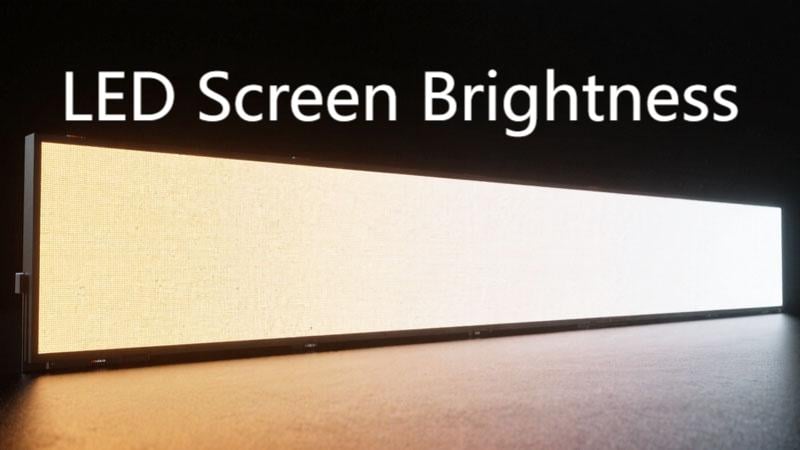
This comprehensive guide delves into the fundamentals of LED brightness, explores the factors that influence it, outlines measurement standards, and provides best practices for selecting and maintaining optimal brightness levels for your specific application.
We believe that after reading this comprehensive guide, you will have a clear understanding of LED screen brightness. First, let’s take a look at what LED screen brightness is.
Table of Contents
1. What is LED Screen Brightness?
What is LED screen brightness? LED screen brightness refers to the amount of light emitted from the display surface, measured in nits, where 1 nit equals 1 candela per square meter (cd/m²). The unit “nit” comes from the Latin nitere, meaning “to shine,” and although it’s a non-SI term, it’s widely used in displays. High nit values indicate stronger light output per unit area, directly impacting visibility under different lighting conditions.
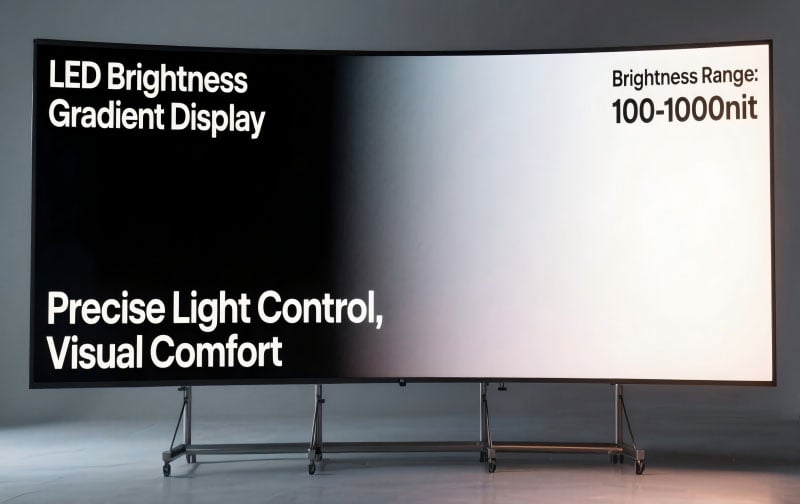
Brightness is a key characteristic of LED displays, which directly affects the screen’s ability to present content in different lighting environments. In layman’s terms, brightness reflects the “brightness” of the screen as we perceive it as an observer.
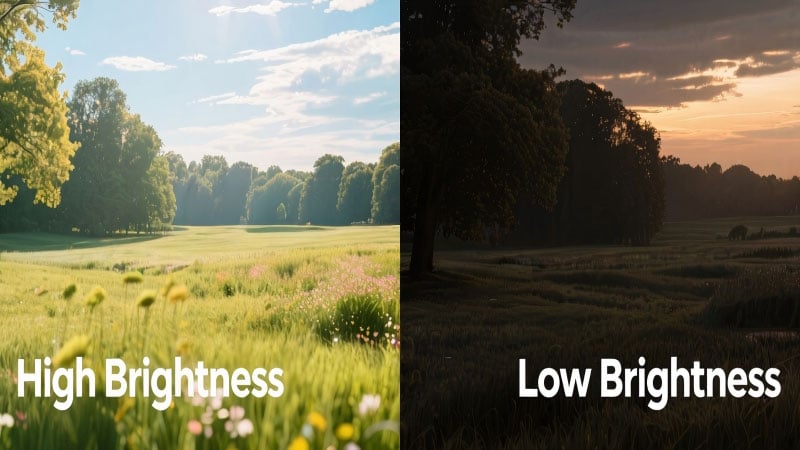
A higher brightness value can make the LED screen appear brighter and maintain good visibility under strong ambient light. In low light or controlled indoor lighting conditions, lower brightness is usually sufficient, and too high brightness may cause visual discomfort or even glare.
Typical consumer monitors average around 200–300 nits, while indoor LED displays usually require 800–1,200 nits, and outdoor LED screens may reach 5,000 nits or more to maintain clarity under direct sunlight.
2. Differences between Brightness vs Contrast Ratio vs Color Accuracy
Optimal LED display design balances brightness for visibility, contrast ratio for visual depth, and color accuracy for realism. Understanding how LED screen brightness, contrast ratio, and color accuracy interrelate is essential for evaluating LED display quality:
Brightness indicates how much light the screen emits. High brightness improves visibility in bright or outdoor environments.
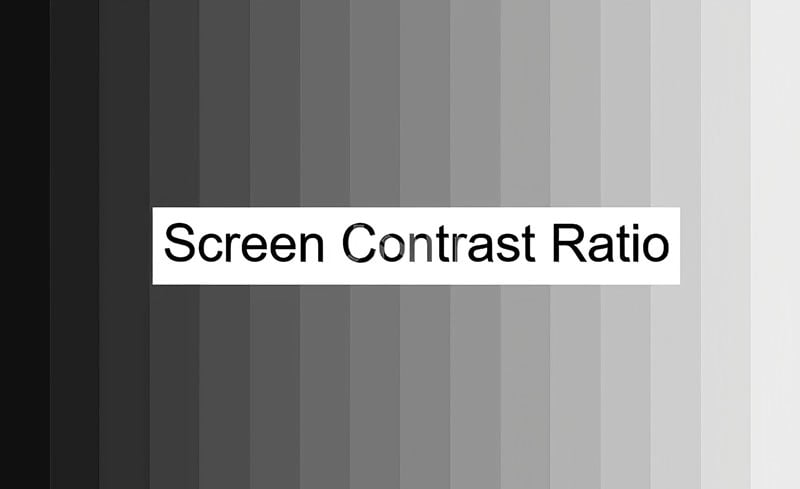
Contrast Ratio quantifies the difference between the screen’s brightest whites and deepest blacks. A higher contrast ratio (eg, 1000:1 to 5000:1) creates richer, more detailed images and stronger depth.
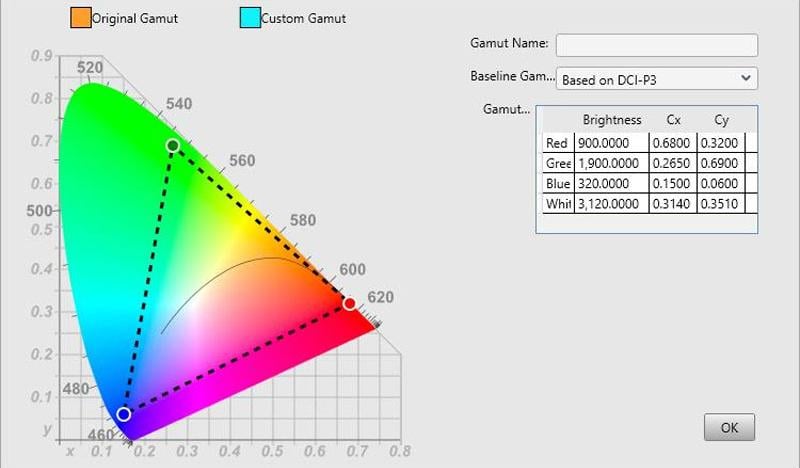
Color Accuracy measures how faithfully a display reproduces colors. Metrics like ΔE, color gamut (sRGB, Adobe RGB, Rec. 2020), and calibration precision reflect how true-to-life the image content appears.
Why All Three Matter Together
Even a high brightness LED screen (high nits LED screen) can appear washed-out if the contrast ratio is low, resulting in greyish blacks and muted scenery. Conversely, very high contrast with low brightness may deliver deep blacks but suffer in bright ambient light settings. Accurate color helps ensure hues look natural, but pushing brightness to maximum can distort color balance unless the display is well calibrated.
| Metric | What It Measures | Impact on Image Quality |
| Brightness (nits) | Light output per unit area | Affects legibility and vividness in well-lit areas |
| Contrast Ratio | Brightest white vs darkest black | Enhances depth, detail, clarity, and realism |
| Color Accuracy | Fidelity to target colors (ΔE, gamut, etc.) | Ensures content looks natural and visually consistent |
Brightness vs Contrast ratio: Higher brightness enhances visibility, but only if the contrast ratio supports deep blacks and rich highlights. Otherwise, visuals look flat.
Brightness vs Color Accuracy: Operating at high brightness may cause color shifts, thermal variation, and uneven LED drive currents. Effective calibration helps retain accurate color at elevated brightness levels, but may slightly reduce peak brightness to balance the RGB channels.
3. Why Brightness Important for LED Screen?
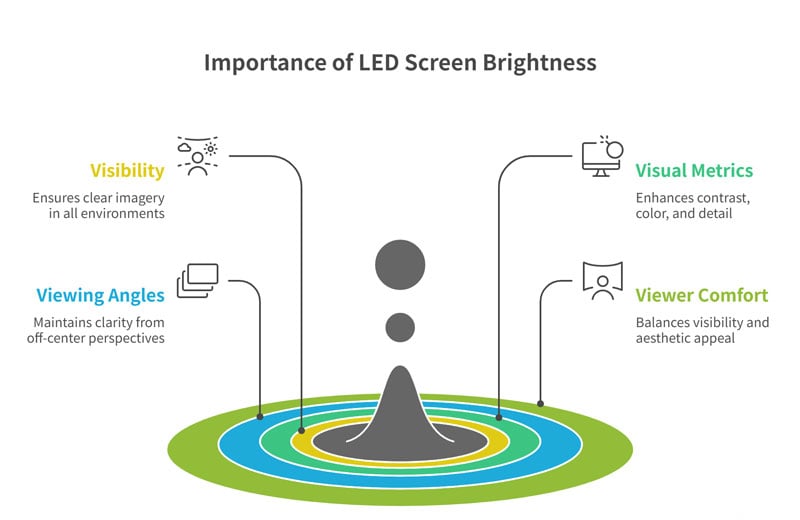
Why brightness important for LED screen? LED screen brightness is the linchpin metric for LED screens. It enables visibility, amplifies contrast and color accuracy, expands usable viewing angles, and ensures viewer comfort.
Whether the screen is placed in an indoor meeting room, used as a sign in a retail space, or as an outdoor digital billboard, ensuring sufficient brightness is a decisive factor in its proper operation in a specific environment.
Here are some detailed reasons why LED screen brightness is important:
① Ensures Visibility in Varying Ambient Light
Adequate brightness enables clear imagery in all environments. Indoor displays typically require 800–1,200 nits, while outdoor screens facing indirect sunlight should range from 3,500 to 5,500 nits, and those in direct sun-facing positions may require more than 5,500 nits to remain legible.
② Supports Perception of Other Visual Metrics
Brightness is the prerequisite for perceiving contrast, color richness, and grayscale detail. Without enough light output, even a high-quality LED display will look flat and muted, regardless of contrast ratio or color precision.
③ Improves Clarity at Wider Viewing Angles
High brightness LED screens maintain image clarity and color saturation off-axis, while dim screens lose vibrancy from off-center perspectives.
④ Affects Viewer Comfort and Brand Impact
Too little brightness can cause eye strain, while too much, especially in dim environments, can lead to glare. LED screen brightness should be matched to ambient conditions to balance visibility, aesthetic appeal, and operational efficiency.
4. How to Measure LED Display Brightness?
This part explains how to measure LED display brightness, including the difference between lumens and nits, provides conversion tables, and outlines the 5 main methods for measuring LED screen brightness, along with a standard detailed measurement workflow.
4.1 Lumens vs Nits
When evaluating LED screen brightness, two common metrics appear: lumens and nits. Although both relate to “brightness,” they describe very different aspects of light.
What are Lumens?
Lumens (lm) quantify luminous flux, the total visible light output emitted by a light source in all directions.
Commonly used for projectors, bulbs, and lighting fixtures, lumens reflect how much overall light is produced, not how bright it appears on any particular surface.
What are Nits?
Nits measure luminance, i.e., how much light per unit area a display emits. One nit equals one candela per square meter (cd/m²), the SI standard for surface brightness.
This metric directly indicates how bright a display screen will appear to the viewer and is critical for assessing visibility in different lighting environments.
Here is a comparison table:
| Metric | Measures | Context/Application | Unit |
| Lumens | Total light emitted | Projectors, bulbs, lighting fixtures | lumen (lm) |
| Nits | Light emitted per area (luminance) | Displays: TVs, monitors, LED screens | cd/m² (“nits”) |
For comparison, a rough “reference” conversion formula is: 1 nit ≈ 3.426 lumens, but the actual value depends on the LED screen size and geometry.
Here’s a clear reference table showing common nit (cd/m²) brightness values and their approximate corresponding lumen (lm) values:
| Typical LED Display Brightness (nits) | Approximate Total Light Output (lumens) |
| 250 nits | 856 lm |
| 350 nits | 1199 lm |
| 500 nits | 1713 lm |
| 1000 nits | 3426 lm |
| 1500 nits | 5139 lm |
| 2000 nits | 6852 lm |
| 2500 nits | 8565 lm |
| 3500 nits | 11991 lm |
| 4500 nits | 15417 lm |
| 5000 nits | 17130 lm |
| 5500 nits | 18843 lm |
| 6500 nits | 22269 lm |
| 7500 nits | 25695 lm |
4.2 How to Measure the Brightness of LED Display?
Accurately measuring the LED display brightness is essential for ensuring optimal performance, compliance with specifications, and suitability for the intended environment. The standard unit for measuring brightness is the nit (candela per square meter, cd/m²), representing the luminous intensity emitted per unit area of the screen surface.
LED Display Brightness Test Operation
Here are the primary methods used to measure LED screen brightness:
① Manufacturer Specifications: Quickest method—check the official datasheet or spec sheet, which typically lists maximum nit output.
② Luminance Meter (“Nit Gun”): The most common professional approach uses a handheld luminance meter to measure screen output directly in cd/m², or nits. This tool samples a small area, providing precise readings at specific points on the display surface
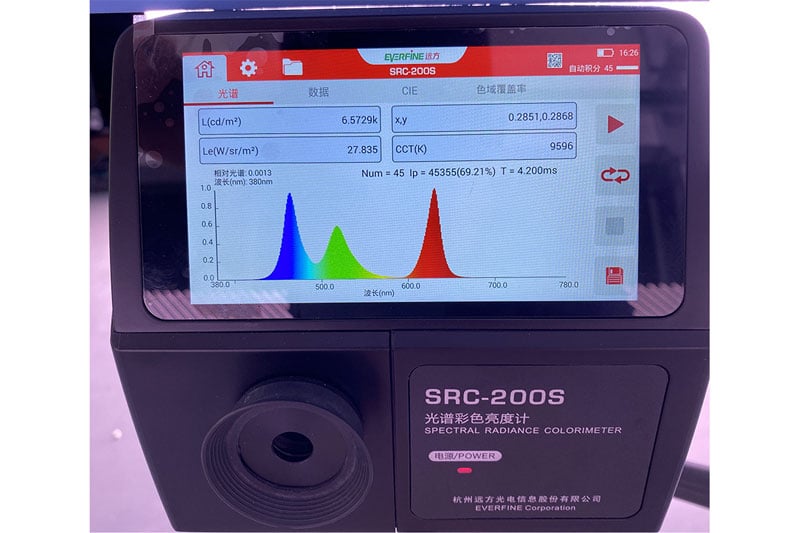
③ Spectroradiometer: A lab-grade tool that measures spectral power distribution along with luminance and color. Offers high precision and calibration reference.
④ Lux Meter + Calculation: A digital lux meter measures illuminance (lux). You can convert to nits using the formula: 1 nit ≈ 3.1416 lux, though this is approximate and assumes Lambertian emission.
⑤ Calibration Software & Apps: Tools like calibration software or smartphone apps can estimate brightness, offer adjustments, and provide baseline readings, though less accurate than hardware methods.
4.3 Measurement Workflow
| Step | Procedure |
| Warm-Up | Run the LED display at full brightness for 15-30 minutes to reach thermal and electrical stability. |
| Test Pattern | Display a fullwhite or standardized uniform patch at maximum drive level. |
| Spatial Sampling | Take readings at the center and each corner to assess brightness uniformity. |
| Instrument Calibration | Verify that the meter or spectroradiometer is recently calibrated against a reference source. |
| Data Conversion | If using a lux meter, convert to nits using the lux / π formula; record raw nits for direct meters. |
| Environmental Logging | Document ambient light, sensor angle, distance, and temperature for reproducibility. |
5. Factors That Affect LED Screen Brightness
What factors will affect LED screen brightness? Several interrelated factors determine how bright an LED screen can appear in its operating environment. Understanding each will help you select and configure displays for optimal performance:
① Ambient Light Conditions
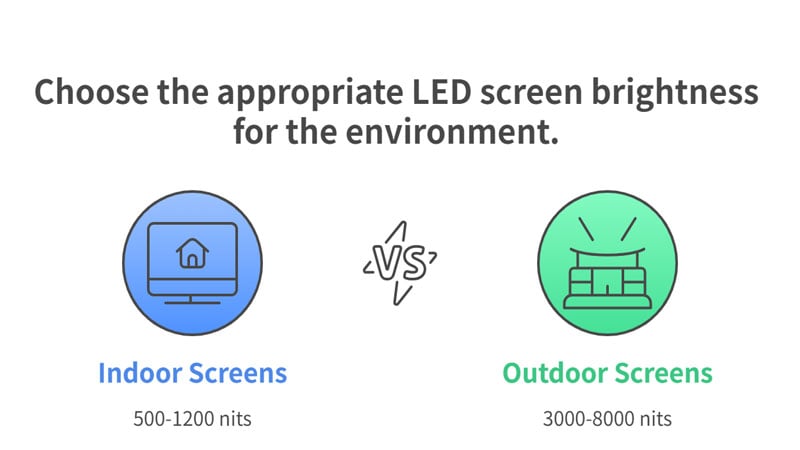
Indoor vs Outdoor: High ambient light, or direct sunlight, demands greater peak brightness. Outdoor LED screens are often high bright LED screens, targeting 3,000–8,000 nits, while indoor applications typically require 500–1,200 nits.
Surrounding Reflectance: Glossy walls or reflective flooring can increase perceived ambient illumination, necessitating higher nit outputs.
② Pixel Pitch and LED Density
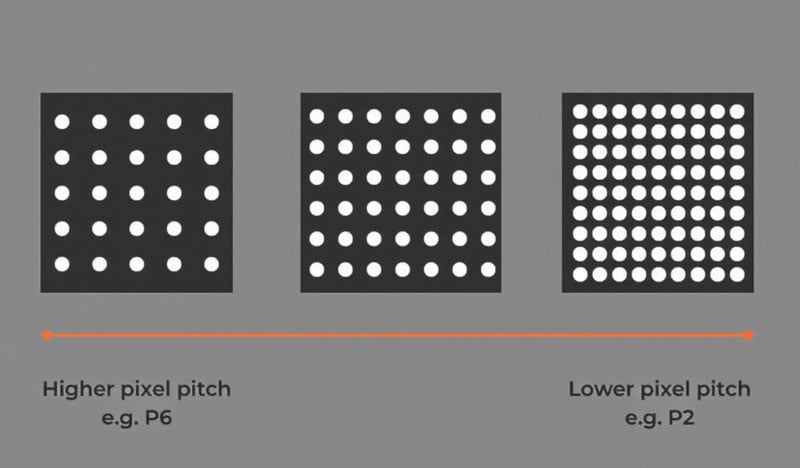
Pixel Pitch: Smaller pixel pitches (e.g., P1.2 mm) pack more LEDs per square meter, but each LED string may be driven at slightly lower current to avoid thermal issues, modestly capping maximum nits.
LED Density: Higher LED density allows for more uniform brightness and smoother grayscale, but increases heat concentration.
③ LED Package and Drive Current
SMD vs COB: Chip-On-Board LEDs (COB) often achieve higher luminous flux per mm² due to better thermal paths.
Drive Current & PWM: Higher drive currents boost brightness but also generate more heat. Pulse-width modulation (PWM) settings and duty cycles influence average luminance.
④ Thermal Management
Screen Cabinet Construction: Aluminum or die-cast frames conduct heat away from LEDs, preserving luminous efficacy.
Active vs Passive Cooling: Fans or heat sinks stabilize junction temperatures. Overheating leads to thermal rollover, where brightness falls off sharply.
⑤ Viewing Angle
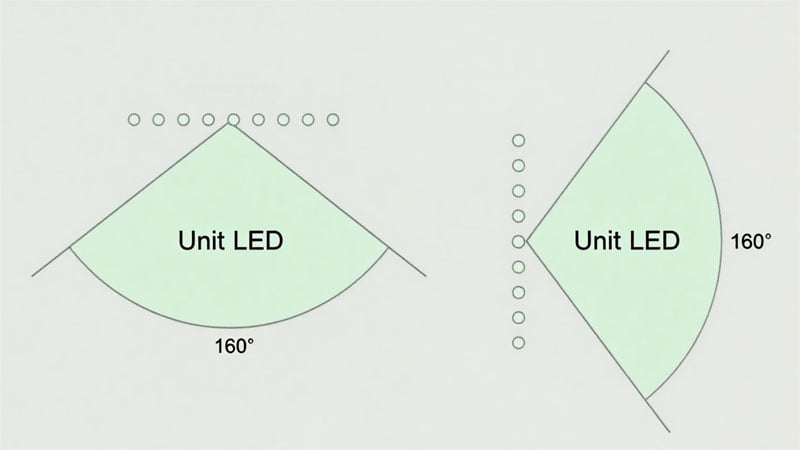
Off–Axis Luminance: Brightness naturally diminishes at wider horizontal/vertical angles. Quality displays maintain ≥50% of center nits at ±160°.
⑥ Aging and Degradation
Operate Time: Phosphor and LED die degrade over tens of thousands of hours, reducing output by roughly 10–20% after 50,000 hours.
Re–calibration: Periodic recalibration and module replacement preserve target brightness levels.
⑦ Power Supply Stability
Voltage Regulation: Fluctuations cause brightness flicker and uneven output. High‑quality drivers ensure constant current delivery.
Redundancy: Dual-redundant PSUs mitigate sudden drops in brightness due to power faults.
By evaluating these factors, ambient light, pixel pitch, LED drive, thermal design, viewing angle, aging, and power stability, you can accurately predict and optimize LED screen brightness for any application.
6. Recommended Brightness Levels by Application
Selecting the right brightness ensures your LED screen delivers clear, vibrant imagery without causing glare or wasting energy. Below are industry-accepted guidelines based on application type:
| Application | Recommended Brightness (nits) | Notes & Sources |
| Standard Indoor (Retail, Offices) | 600 - 1,000 | Ideal for welllit malls and corporate environments |
| Event & Stage Displays | 2,500 - 5,000 | Balances spotlights and ambient lighting for live productions |
| Stadium & Transportation Signage | 5,000 - 7,500 | Ensures longdistance visibility in varying weather |
| Outdoor Advertising (Billboards) | 5,000 - 10,000 | Maintains legibility under direct sunlight |
| General Outdoor Installations | 3,500 - 10,000 | Compensates for indirect/filtered sunlight |
Why These Ranges Matter
Indoor Retail & Offices (600–1,000 nits): Provides sufficient pop for product imagery and presentations without overwhelming shoppers or workers with glare.
Event & Stage (2,500–5,000 nits): Counteracts powerful stage lights and dynamic set designs, delivering crisp visuals to both in‑venue audiences and broadcast cameras.
Stadium & Transportation (5,000–7,500 nits): Offers clear signage for spectators and commuters even in bright daylight or under stadium floodlights.
Outdoor Advertising (5,000–10,000 nits): Requires a high-brightness LED screen that competes with natural sunlight, ensuring ads remain vivid on billboards, building facades, and street-side digital signage.
General Outdoor (3,500–10,000 nits): Covers semi-outdoor applications like covered plazas or transit shelters, where ambient light is lower than full sun but higher than indoor settings.
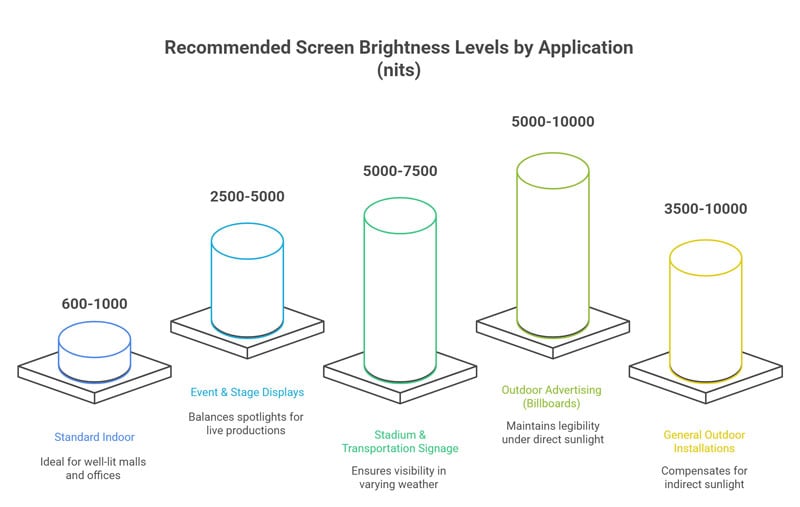
By aligning your LED screen brightness nit rating with its environment and viewing conditions, you optimize visibility, minimize stray light issues, and ensure energy usage matches performance needs.
7. High Brightness LED Screen vs Low Brightness LED Screen
When selecting an LED display brightness, understanding the difference between high brightness and low brightness LED panels is crucial to matching performance with your environment.
| Feature | High Brightness LED Screen (≥2,500 nits) | Low Brightness LED Screen (≤ 800 nits) |
| Visibility in Sunlight | Excellent content stays clear in direct sunlight | Poor images wash out under bright light |
| Power Consumption | High-requires robust power and cooling | Lower-more energy-efficient indoors |
| Thermal Management | Active cooling, heat sinks, UV-resistant | Passive cooling suffices |
| Contrast & Color | Strong contrast retained in ambient light | Optimal color fidelity at close range |
| Viewing Distance | Designed for long-range legibility | Best for short to medium distances |
| Durability | Weatherproof, antiglare coatings | Standard indoor durability |
When to Choose Which?
High Brightness LED Screen
- Deploy outdoors or behind glass facades
- Environments with > 50,000 lux ambient light
- Long-distance message delivery (e.g., billboards, facade screens)
Low Brightness LED Screen
- Indoor settings with controlled lighting (< 1,000 lux)
- Close-up presentations (e.g., boardrooms, trade show booths)
- Prioritizing energy savings and viewer comfort
High Brightness Outdoor LED Screen
Contact Now!
8. How to Calibrate & Optimize Brightness for LED Display?
Optimizing LED screen brightness involves both hardware calibration and software tuning to achieve uniform output, accurate color, and efficient performance. Here are 3 common and effective ways to adjust LED screen brightness, based on industry sources:
① Manual Adjustment via Control Software or On-Panel Settings
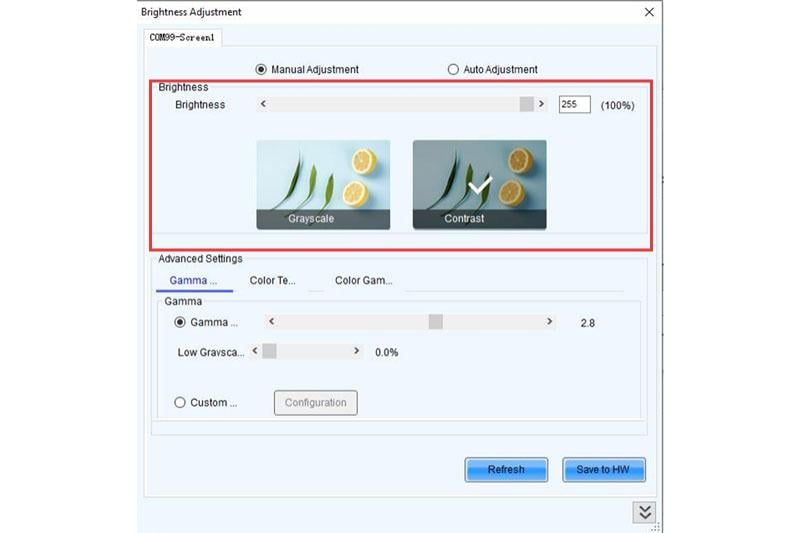
Most LED control systems (like NovaLCT, Colorlight, or sending-card UIs) include manual brightness sliders or picture menus.
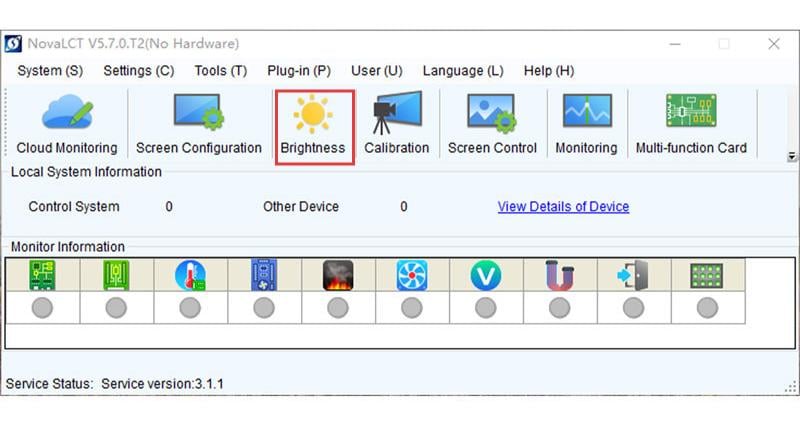
You can set global brightness or fine-tune PWM levels, and even adjust RGB color temperatures to shape perceived luminance. This method gives direct control and instant feedback, ideal for fixed environments or on-site calibration.
For example, using NovaLCT Software:
Many LED control systems (e.g., NovaStar) include NovaLCT, which provides front‑end brightness adjustment, gamma curve control, and module-level calibration. By uploading a full-white test pattern, you can equalize luminance across all cabinets, eliminating patchy or uneven areas.
② Scheduled Automatic Adjustment
LED systems often support time-based brightness profiles, enabling automated dimming or brightening at predefined intervals. For example, you might schedule higher brightness during peak store hours and lower output in the evening, helping manage power consumption while maintaining visual quality.
③ Ambient Light Sensor (Adaptive Brightness Mode)
By integrating ambient-light sensors (e.g., photodiodes or photoresistors), the LED system can automatically adjust brightness in real time based on surrounding light conditions. In sensor mode, brightness increases under bright daylight and dims in low-light settings, optimizing visibility and reducing energy use, all without manual intervention.
Quick Comparison Table
| Method | How It Works | Best For |
| Manual Adjustment | Control via software or panel menu settings | One-time setup, controlled venues |
| Scheduled (Auto Profiles) | Pre-set brightness levels based on time slots or scenarios | Retail stores, event planners |
| Ambient Light Sensor | Real-time adjustment based on lux readings | Outdoor signage, dynamic lighting |
By combining professional calibration tools, scheduled automatic adjustment, and smart ambient-adaptive controls, you can ensure your LED display delivers consistent, accurate, and efficient brightness throughout its lifecycle, and achieve optimal brightness levels tailored to both environment and usage scenarios.
9. How to Choose the Right LED Screen Brightness?
How to choose the right LED screen brightness for your event? Selecting the optimal brightness of LED display involves assessing both environmental conditions and content requirements. Follow these steps:
① Assess Ambient Light
Indoor: Measure ambient lux. For typical offices and retail spaces (300–1,000 lux), target 600–1,200 nits to ensure crisp imagery without glare.
Outdoor: Evaluate direct vs. indirect sunlight. For shaded facades, 3,000–5,000 nits; for sun-exposed electronic LED billboards, 7,000–10,000 nits are often required to combat up to 100,000 lux.
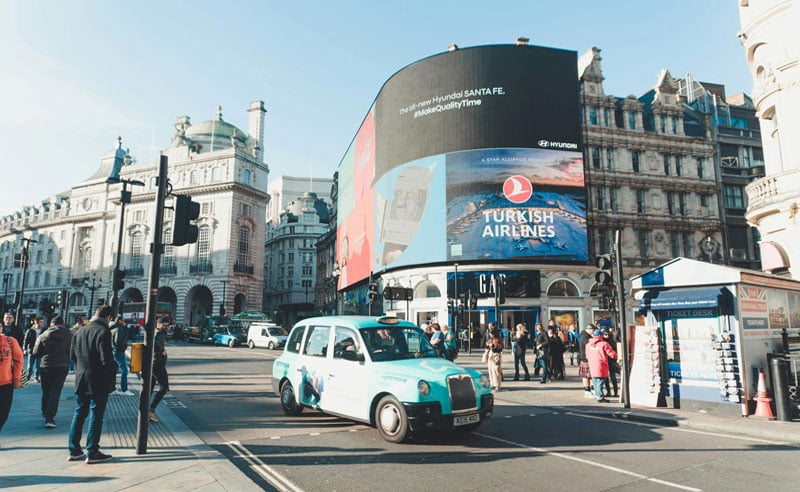 LED Screen Brightness for Outdoor
 LED Screen Brightness for Indoor
② Define Viewing Distance & Screen Size
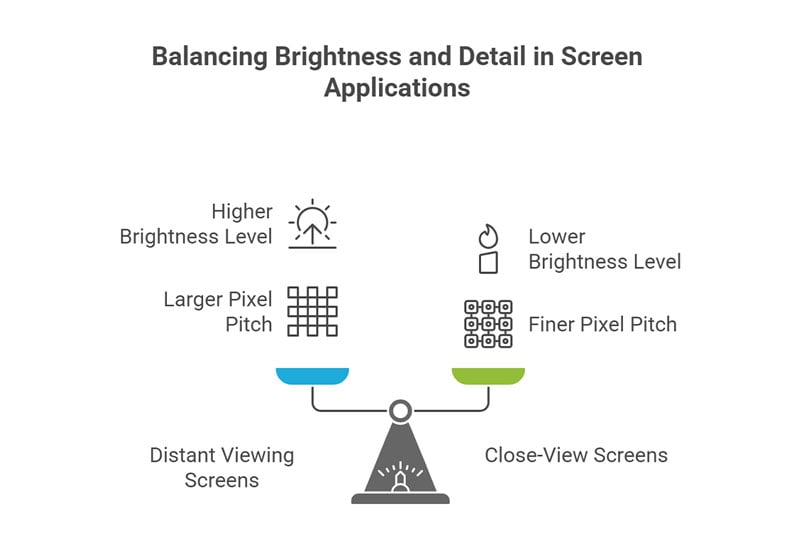
Larger screens for distant viewing (stadiums, highways) can use higher nits (5,000–7,500 nits) since small pitch details aren’t visible from afar.
Close-view applications (control rooms, video walls) benefit from 800–1,200 nits paired with fine pixel pitches (< P2 mm) for detail.
③ Consider Content Type
Static Text/Graphics demand less peak brightness (500–800 nits) to maintain contrast without overshoot.
HDR Video & Live Events need higher peaks (2,500–4,000 nits) for specular highlights and dynamic scenes.
④ Account for Power & Thermal Constraints
Higher LED screen brightness increases power draw and heat. Ensure your screen cabinet’s cooling system and power supplies are rated for sustained output without thermal rollover.
⑤ Plan for Adaptability
Choose screens with ambient-adaptive controls or support for time-based brightness profiles to automatically adjust output, optimizing energy use and prolonging LED lifespan.
By matching your nit target to ambient conditions, viewing geometry, content demands, and hardware capabilities, you’ll achieve a suitable LED screen brightness, both visibility and efficiency in any environment.
10. FAQs
No. LED screen brightness measures absolute light emission (in nits), whereas contrast ratio compares the brightest white to the darkest black the display can produce. A screen can be bright but still have poor contrast quality.
Higher ambient illumination (measured in lux) requires higher nit output to maintain readability. In bright daylight (~100,000 lux), LED screens often need 5,000 nits or more to avoid washout. Lower ambient settings permit lower brightness levels for comfortable viewing.
Yes. Excessive brightness, especially in low-light environments, can lead to glare and eye fatigue. Balance output with environment: more brightness for sunny outdoor setups and reduced levels in dim indoor areas improve viewer comfort.
Yes. LED modules gradually lose luminance due to phosphor degradation and thermal stress. Typical LED longevity is defined at the L70 threshold, when output falls to 70% of the original brightness after ~50,000 operating hours.
11. Conclusion
LED screen brightness is more than a specification; it’s a key performance metric that shapes viewer engagement, operational efficiency, and long‑term ROI. By understanding how brightness is generated, measured, and maintained, and by selecting the right levels for specific environments, you can ensure your LED installations deliver stunning visuals and reliable performance.
Related Posts
Guide to LED Screen Resolution: How to Calculated & Choose?
May 20, 2026
In this guide, we’ll explore the factors that influence LED screen resolution. How to calculate? How to choose? Just Read it now!
Read More »
LED Display Gray Scale & Brightness Explained
December 10, 2025
Learn how LED display gray scale and brightness affect image quality. Discover the meaning of gray scale brightness.
Read More »
What Is 4K LED Screen? Benefits, Top Applications & Buying Guide
July 16, 2025
4K resolution for LED display is Good? Discover everything about 4K LED screen, benefits, applications, buying tips, etc. to elevate your viewing experience.
Read More »