Conference LED Screen | LED Screen For Conference Room
Conference LED Screen/Meeting Room LED Display
UNIT conference LED display screen helps you create a modern, efficient, and concise conference room.
Get Quotation Now!
LED Screen for Conference Room
Conference LED screen use visuals to grab your audience’s attention can go a long way in helping you get the best out of your meeting.
The high-contrast and high-refresh LED display will convey the content of your conference to every audience on site.
The flexible screen size can meet the needs of conference venues of any size.
MA640/MA640S Series
640×480mm Cabinet
4:3 LED Display Design
Magnesium Alloy Cabinet
Learn More
MA600 Series LED Screen
600×337.5mm Cabinet
16:9 LED Screen
Die Casting Aluminum Cabinet
Learn More
AIO LED Display
Multiple Viewing Modes
Perfect Visual Effect
Various Sizes Available
Learn More
Customer Cases of Conference LED Solution
https://www.youtube.com/watch?v=hNjla7v-wk4https://www.youtube.com/watch?v=osIL7VkjPWohttps://youtu.be/sPNm-ktmVV4
Features of UNIT Conference LED Screen
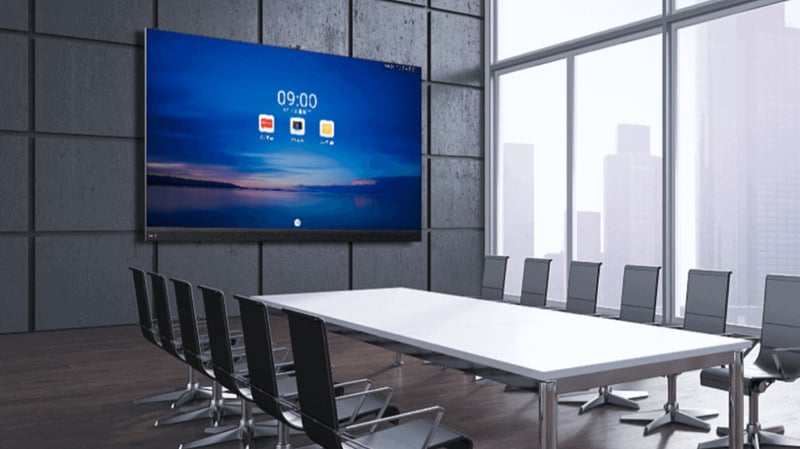
(1) High-definition picture, high gray scale, high refresh rate.
(2) Modular design, seamless splicing technology ensures the integrity of the picture.
(3) Adjustable brightness suit the indoor environment well. Reduce visual fatigue caused by viewers watching the screen for a long time.
(4) It can be spliced into various sizes to meet the display requirements of meeting rooms of different sizes.
(5) Over 160°wide viewing angle display, suitable for various large meeting rooms or stepped meeting rooms.
(6) Lightweight and slim cabinet–saving a lot of space.
LED PANEL PRICE
Just fill the sizes, and get your led screen budget right now !
Why Do You Need LED screens for Conference Room?
Add Your Heading Text Here
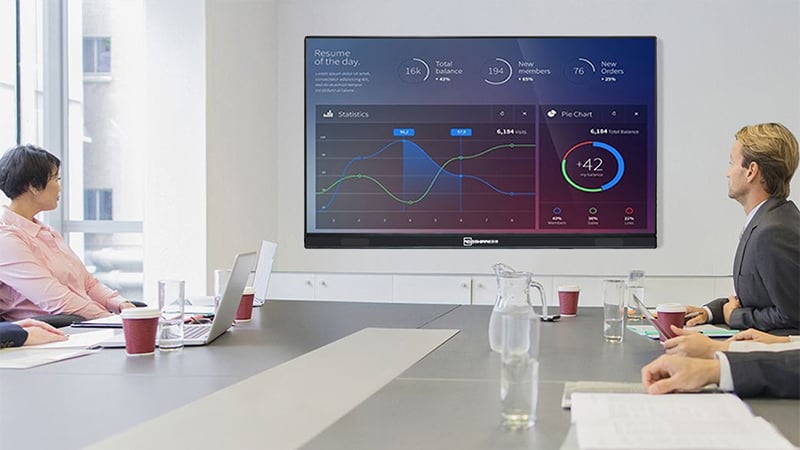
(1) It can create a more comfortable and modern information conference environment.
(2) Information from all sides can be shared, making meeting communication easier and smoother.
(3) It can vividly display the content of the meeting, ensure that the points of the meeting are accurately conveyed to the audience, and improve the efficiency of the meeting.
(4) Business application: display details, focus eyes, and quickly process pictures, etc.
(5) The meeting room LED display can communicate and work together remotely in real-time. Such as distance education, video conferences between branches and the head office, and the head office conducts training and education activities across the country.
(6) It occupies a small space, the operation method is simple, and a variety of installation methods are flexible and optional.
(7) A variety of products can meet the display needs of small, medium, and large conference rooms. Such as small-pitch LED displays, and AIO LED displays.
GET QUOTE NOW
Why Choose Meeting Room LED Display From UNIT LED?
UNIT LED focuses on providing affordable LED display solutions and high-quality LED display products to customers all over the world. As a trusted led display manufacturer and solution provider, we have rich experience in the industry.
1. High-quality LED Products. Our products have passed CE, EMC-B, FCC, RoHS, and IECEE certifications. High-quality products are our guarantee.
2. Rich Experience. Over the years, our customers have spread over more than 100 countries and regions. Many successful cases involve smart exhibition halls, experience centers, remote video conferencing, and more
Function meeting room etc.
3. Professional team. UNIT LED has a strong team, including pre-sales, after-sales, technical services, and other aspects. We look forward to providing you with quality service.
4. LED Display Factory. Our factory covers an area of more than 12000 square meters, equipped with advanced production equipment and skilled workers to ensure a strong delivery capacity.
UNIT LED Display Factory Equipment Show
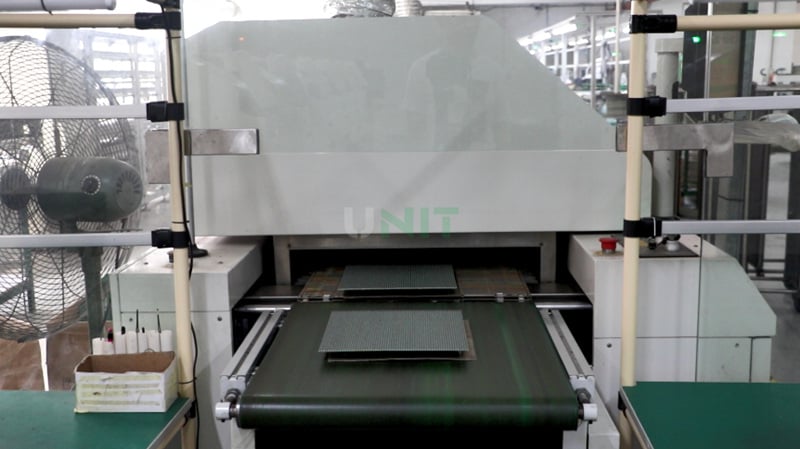
LED Drying Machine
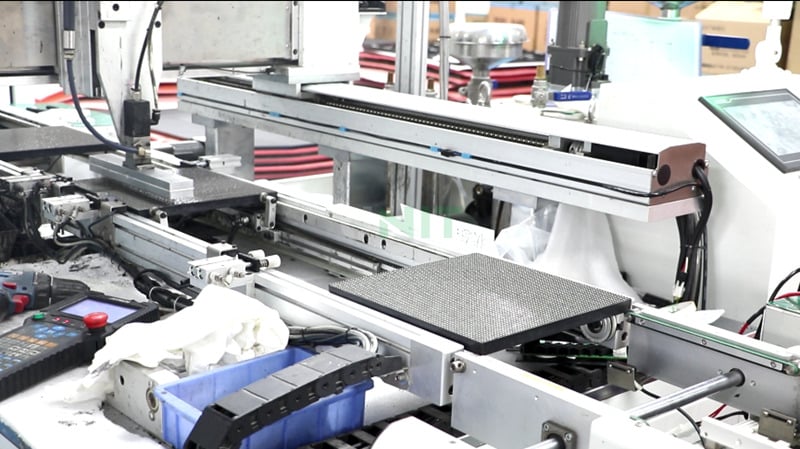
Glue Machine
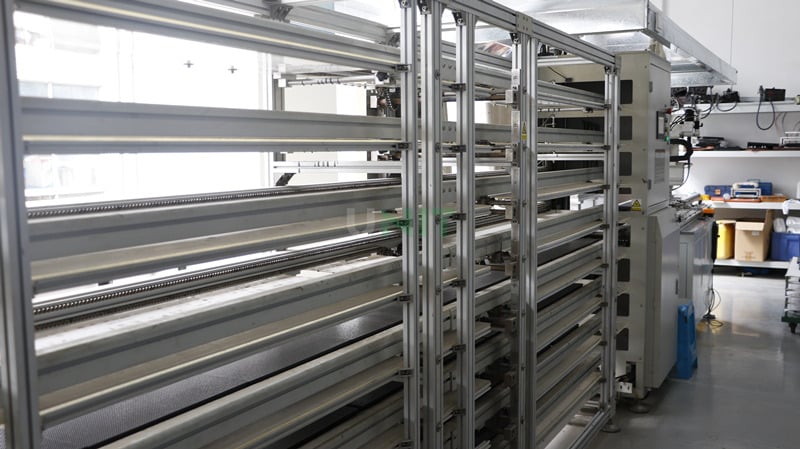
Drying Machine
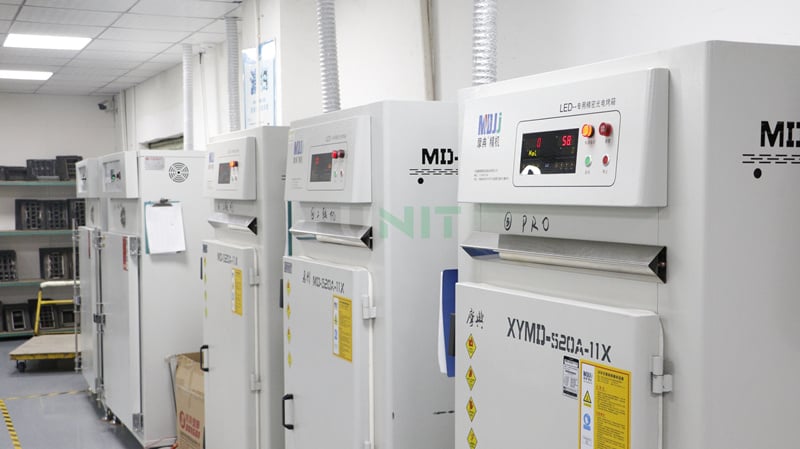
Aging Test Box
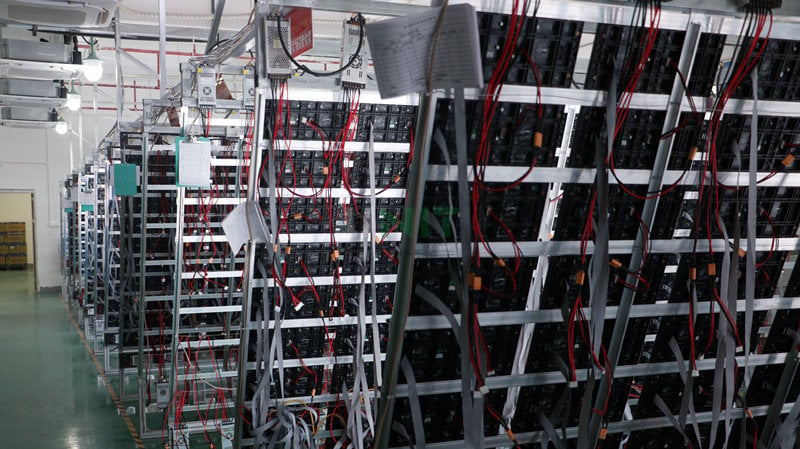
Test Shelf
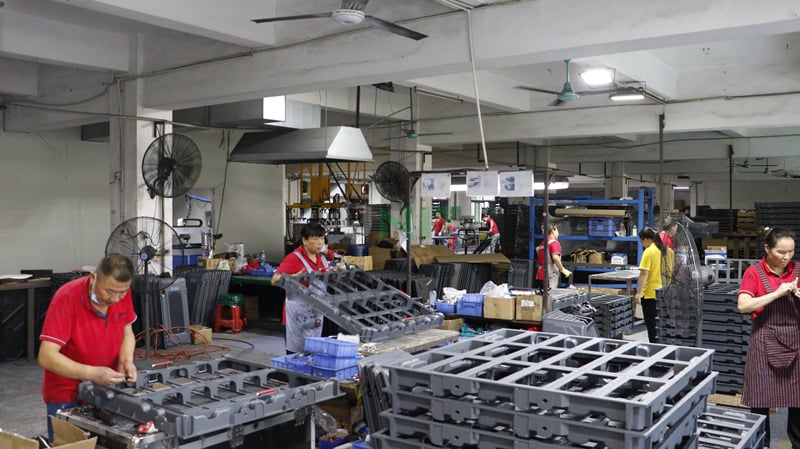
Cabinet Production Workshop
https://youtu.be/j3dA90joOfQhttps://youtu.be/LWt-0Pz2WoM
2026 Best Price Conference LED Screen Full Guide!
How to make your meeting or training more efficient and professional? How to make the content of your information or report delivered to the participants quickly, accurately, and clearly? Conference LED screen has become an indispensable device for creating a modern conference environment.
Whether it is an enterprise, school, hotel, hospital, etc., as long as you need to gather many people for a meeting, LED displays for conference room are necessary to create an efficient conference room or lecture hall.
How to choose a meeting room LED screen for different conference venues? The most suitable pixel pitch? Perfect product? If you are interested in it, then do not miss this article!
1. What Can Conference Room LED Display Bring?
2. Features of Conference LED Screen
3. Which Screen is Best for Conference Rooms?
4. UNIT All-in-one LED Display
5. How to Get a Perfect LED Screen for Conference Room?
6. How LED Displays Enable Touch in Meeting Rooms
7. 8 Suggestions For Indoor Conference Room LED Display
8. How to Choose the Right LED Display Size and Aspect Ratio?
1. What Can Conference Room LED Display Bring?
The conference room LED display is used for information display in smart offices. It is an essential device to improve conference efficiency. You can see it on many occasions, such as reports, conferences, presentations, hearings, etc.
The wide range of application areas shows just how popular it is. So, what can meeting room LED display bring to your meeting?
https://youtu.be/hNjla7v-wk4https://youtu.be/sPNm-ktmVV4
(1) Modern Conference Environment
The LED displays play pictures, videos, or audio. It will bring an element of liveliness to the meeting and make long meetings feel less boring.
The relaxed meeting environment makes the audience feel involved. The meeting room with the blessing of modern technology makes the meeting process more efficient!
(2) Accurately Display the Content of Meetings
The high-resolution LED screen for meeting room display various contents: text, pictures, and video. High-definition picture quality ensures that viewers can watch the content played on the screen.
LED screen with a wide viewing angle can cover more viewers. Audience members in the back rows are able to hear the conference content.
The high refresh rate ensures that there will be no horizontal lines or flickering when the audience takes pictures of the screen.
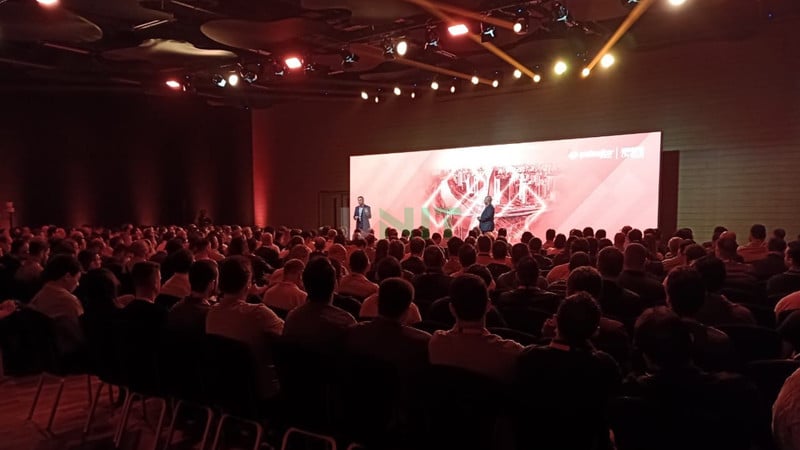
(3)Wireless Operation / Interaction
The smart AIO LED display for small and medium meeting rooms has powerful interaction and playback functions. It supports multi-platform wireless projection.
Easily perform document presentation, annotation, and writing through the screen, making meeting communication more efficient.
2. Features of Conference LED Screen
The LED display in the meeting room can display in daily meetings. In the indoor lighting environment, the display effect will not be affected. Clear image display, efficient and clear information transmission is conducive to the meeting agenda.
(1) Unit modular design, the whole screen is “no seams”.
(2) The color and brightness of the entire screen have a high degree of consistency and uniformity and can be corrected point by point.
(3) High grayscale, high contrast, clear picture.
(4) The wide viewing angle is suitable for large conference rooms or lecture halls that can accommodate hundreds of people.
(5) Efficient heat dissipation. The zero-noise cooling system not only ensures the normal operation of the screen but also brings the audience a quiet and comfortable meeting environment.
(6) Long service life. The service life of an LED electronic large screen is about 10 years.
3. Which Screen is Best for Conference Rooms?
The LED display in the meeting room can display in daily meetings. In the indoor lighting environment, the display effect will not be affected. Clear image display, efficient and clear information transmission is conducive to the meeting agenda.
(1) Projector
Projectors were popular in early office conference rooms at low cost and cheap prices.
However, the projection screen requires high light. When used in an environment with strong light, the picture is blurred and affects the viewing experience. Therefore, it has been replaced by conference room LED/LCD screens in recent years.
(2) LED Screen for Conference Room
The maturity of small-pitch LED technology has given it a place in the conference field. Its advantages are reflected in seamless splicing, unlimited size, clear picture, etc.
The excellent image quality of the Fine pixel meeting room LED display enables remote conferences and online consultations to realize remote information sharing.
How to choose the most suitable screen, we will mention later.
(3) Smart AIO LED Display
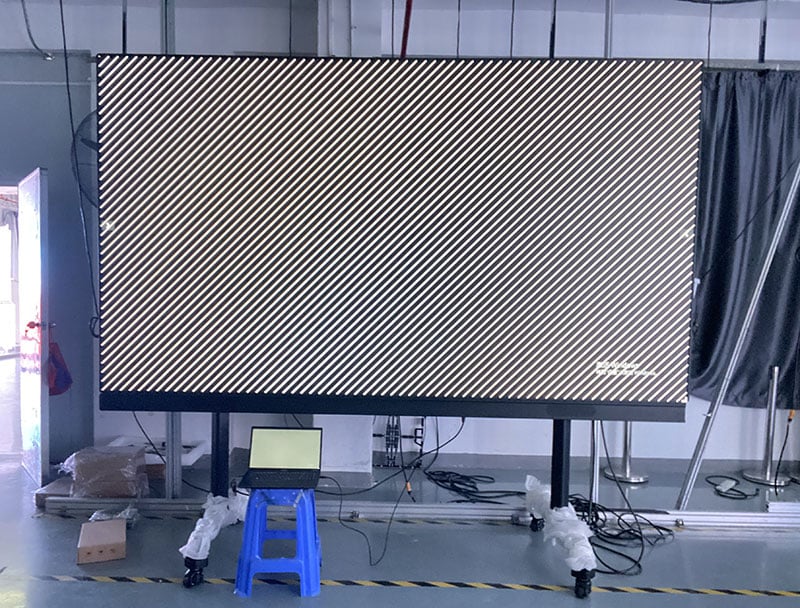
Smart AIO LED displays are hot in small and medium-sized conference rooms since its launch. It has a smaller size and a resolution of up to 4K high-definition display.
It supports functions such as remote conference, wireless screen projection, and one-key start. Easy to move thanks to the stand with wheels.
But the size limits the application of AIO LED display in large conferences.
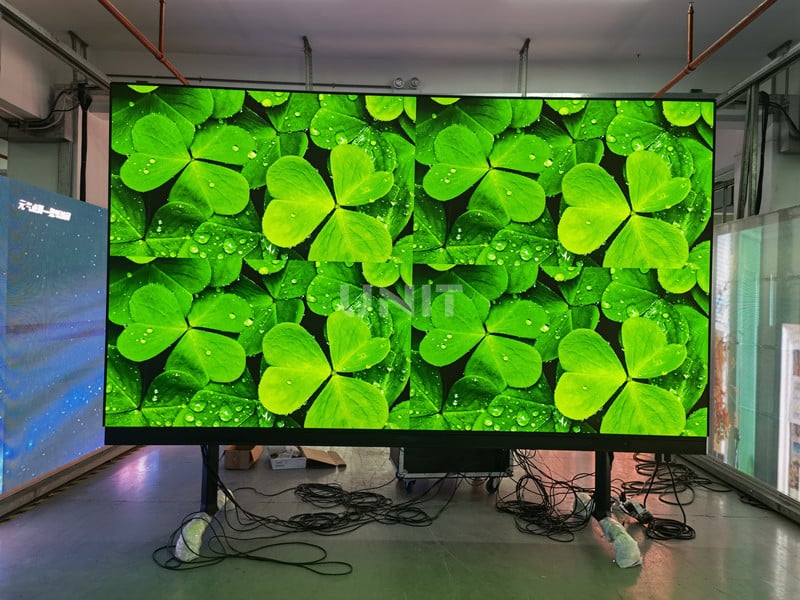
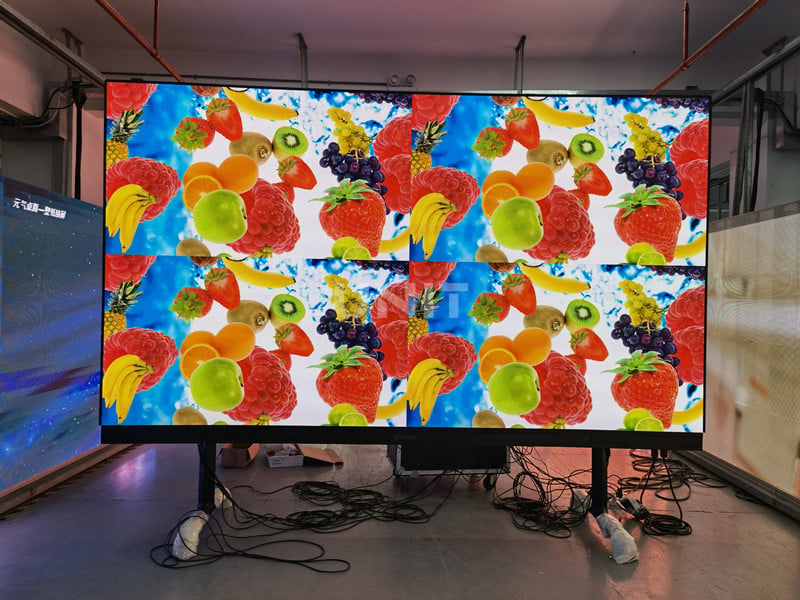
UNIT Smart Conference AIO LED Display
(4) LCD Screen
LCD is popular in the field of video surveillance. With the advancement of splicing technology, LCD has gradually entered offices and conference rooms.
Compared with LED, its picture is clearer and brighter, and its color is soft. The operation is stable and the price is relatively cheap. The biggest disadvantage is that the images will be divided by seams.
| Display Type | Best For | Main Advantages | Limitations |
|---|---|---|---|
| Conference LED Screen | Medium and large meeting rooms, boardrooms, lecture halls | Seamless large screen, high brightness, flexible size, high refresh rate | Higher initial cost than projector |
| Projector | Budget meeting rooms | Low initial cost, easy setup | Image quality is affected by ambient light |
| LCD Video Wall | Monitoring rooms, standard display walls | Clear image, stable operation | Visible bezels between panels |
| All-in-One LED Display | Small and medium conference rooms | Integrated system, wireless projection, easy installation | Limited size options compared with custom LED walls |
4. UNIT All-in-one LED Display
UNIT’s all-in-one LED display is suitable for government and enterprise, design, hospital, and education industries.
As a new generation of multi-functional display products combined with an efficient conference system, it supports multiple functions to make your conference more efficient!
All-in-One LED display is an innovative display solution designed for meeting rooms. It integrates a high-definition display, a built-in system, and easy installation to help companies improve meeting efficiency and visual experience.
The following are its core features and advantages:
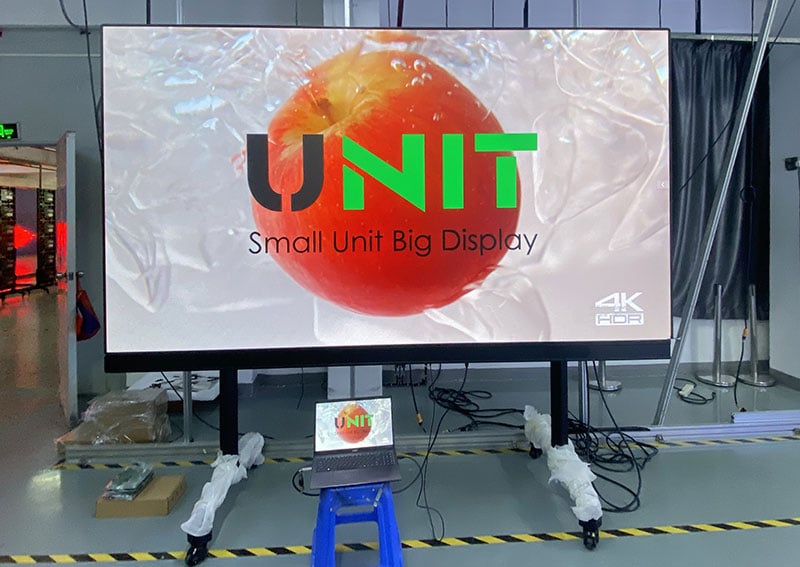
Features of UNIT AIO LED Display
(1) Ultra-high-definition Display
The Smart All-in-One LED display uses a small pitch (such as P1.2, P1.5, etc.), with delicate display effects, suitable for close viewing.
The colors are realistic and the brightness is uniform, ensuring that the meeting information is presented clearly.
(2) Integrated Design
The display, system, audio, camera and control panel are integrated into one. Reduce the need for external devices and keep the meeting environment clean.
Pre-installed operating system (Windows, Android, etc.), support wireless screen projection, video conferencing, and other functions.
(3) Convenient Installation and Maintenance
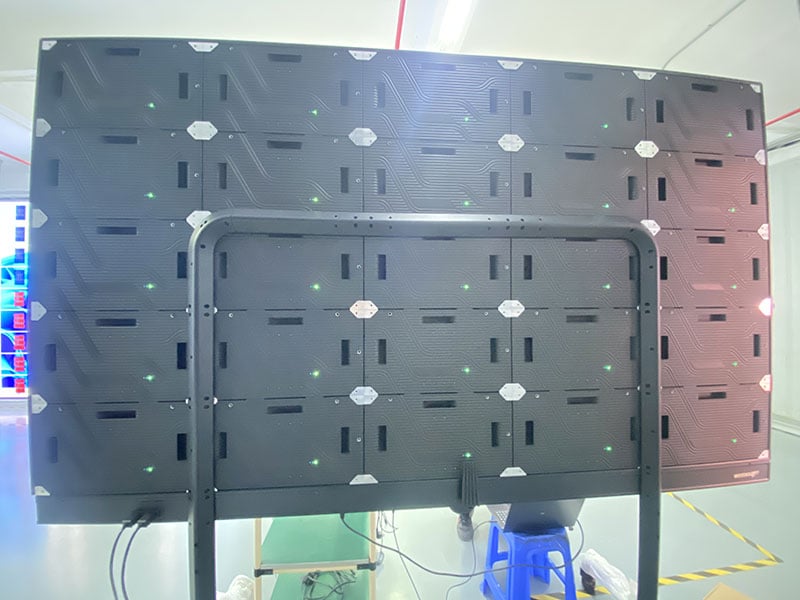
Modular design, support front maintenance, installation, and maintenance can be completed without complex tools.
It can be directly mounted on the wall or bracket to save space and quickly put into use.
(4) Intelligent Interactive Function
Touch function (supported by some models), suitable for displaying data and collaborative presentations.
Wireless projection technology supports multi-device connections (laptop, mobile phone, tablet).
(5) High Reliability and Long Lifespan
Supports long-term stable operation, a built-in heat dissipation system to prevent overheating.
The surface adopts dust-proof and scratch-proof technology (such as the GOB LED) to improve durability.
Functions of Conference AIO LED Display
(1) One-key Sign-in
30s meeting, 3 minutes to learn. The Android UI system interface is simple and easy to operate, and the APP installation is simple and easy to use.
Large-screen displays of documents, pictures, and video playback can share various data information in real-time. Let collaboration not be limited by space.
(2) Wireless Projection
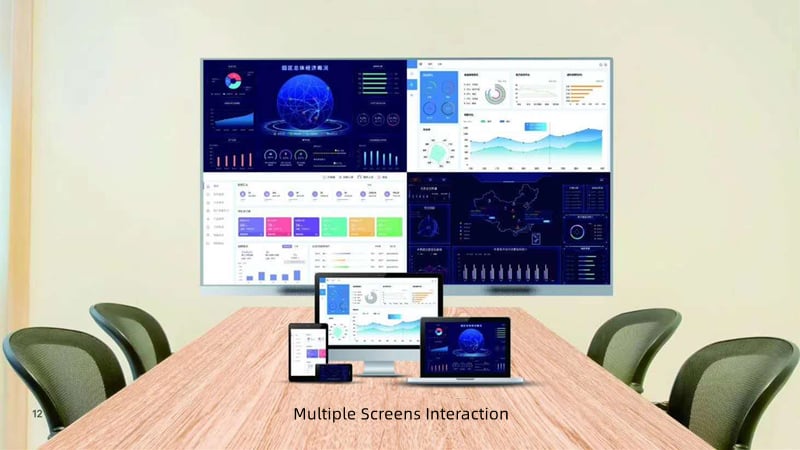
Wireless screen mirroring from multiple platforms. Mirror from Windows, MacOS, IOS, and Andriod, Mirror up to 4 devices simultaneously to the LED display.
Get rid of space constraints, easily realize multi-party wireless screen transmission, multi-screen interaction, simultaneous annotation by multiple parties, and real-time synchronization of the screen.
(3) High Compatibility & Reliability
With the desktop UI system which is based on Android customization, the user can add various APPs and APK software. It has high compatibility and reliability.
Compatible with peripherals such as cameras, speakers, and laser pointers commonly used in conferences.
Allow for Wi-Fi and wireless hotspot connections at the same time.
It can connect to the Bluetooth remote, Bluetooth mouse, Bluetooth keyboard, Bluetooth sound system, and other common peripherals.
(4) Powerful Playback Function
6x USB ports for multimedia playback and function extension
-5x USB2.0 (2 sports reserved)
– 1x USB3.0
2×3.5mm audio outputs for internal and external audio equipment connections
Applicable Scenarios
– Corporate conference room
– High-end boardroom
– Video conference scene
– Project presentation and proposal meeting
– Training center
Advantages Compared with Traditional Conference Equipment
(1) Stronger Visual Impact
Borderless design, larger screen, replaces traditional projectors or LCD screens.
(2) More Efficient
System integration reduces debugging time, and easily realizes remote collaboration and multi-functional use.
(3) More Professional
Enhance the image of the meeting, suitable for business occasions that need to show brand strength.
All-in-One LED display is an ideal choice for modern conference rooms. It not only improves the efficiency of conference information transmission but also brings a more professional experience to participants.
5. How to Get a Perfect LED Screen for Conference Room?
LED screen for meeting room is available in various models.
Medium-sized conference rooms that can accommodate 100-500 people are now mostly used in P2.5 and P3. Which model to choose needs to be comprehensively considered according to the size of the meeting room, viewing distance, budget, and other factors.
Optional solutions: small-pitch display P1.2, P1.5, P1.6, P1.8, P2; regular display P2.5, P3. A sufficient budget is equivalent to excellent picture quality.
In general, according to different application scenarios, installation location, viewing distance, space size, and customer needs, choose different models and areas of LED displays.
If the area of the lecture hall and conference room is too large for the people behind to watch the front screen, LED displays can be installed on the walls on both sides.
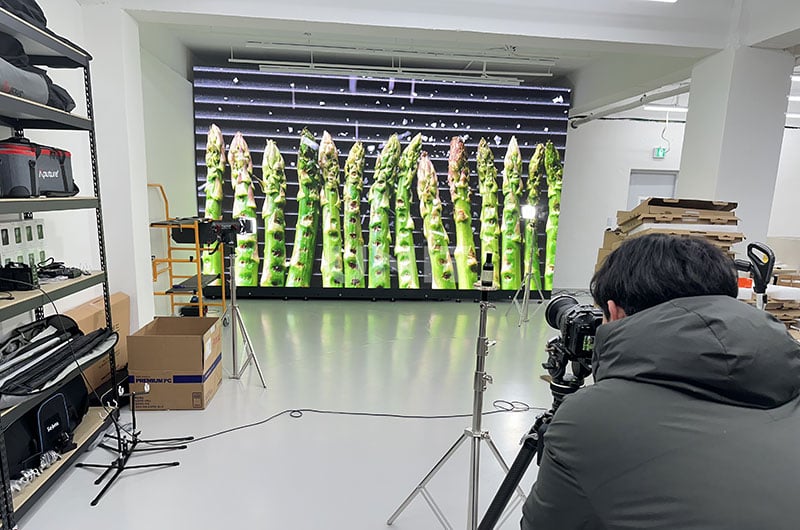
Small Pixel LED Screen for Conference Room
Here are some tips for choosing a small-pixel LED screen for your conference room:
(1) Determine the size of the conference room and viewing distance
Choose the right pixel pitch. Small-pixel screens are suitable for closer viewing distances. Generally, the smaller the pixel pitch, the clearer the image.
Make sure the pixel density of the screen matches the size of the conference room to avoid too high or too low a resolution affecting the visual effect.
(2) Screen Resolution
The resolution directly affects the clarity and detail of the image. For conference scenes that require high-precision display content (such as data presentations, charts, or video conferences), higher resolution is essential.
Choosing an LED screen with smaller pixels (such as P1.5, P2, P2.5, etc.) can provide a more detailed picture.
(3) Viewing angle
Make sure the selected LED screen has a wide viewing angle, especially if the conference room is large or if you are interacting with audiences from multiple perspectives.
Most small-pixel LED screens have good viewing angles, but it is still necessary to confirm the consistency of their display effects at different angles.
(4) Brightness and contrast
Choose an LED screen with sufficient LED screen brightness, especially when the lighting conditions in the conference room are not fully controllable.
High brightness ensures that the screen is clearly visible even in daylight or brightly lit environments.
At the same time, choosing a screen with high contrast can improve the readability of text and graphics.
(5) Interfaces and compatibility
Make sure the LED screen is compatible with the audio and video equipment in the conference room and supports the required input interfaces (such as HDMI, VGA, DisplayPort, etc.).
If you need to connect the device via the network or wirelessly, make sure the screen supports the relevant functions.
6. How LED Displays Enable Touch in Meeting Rooms
(1) Infrared Touch Frame Technology
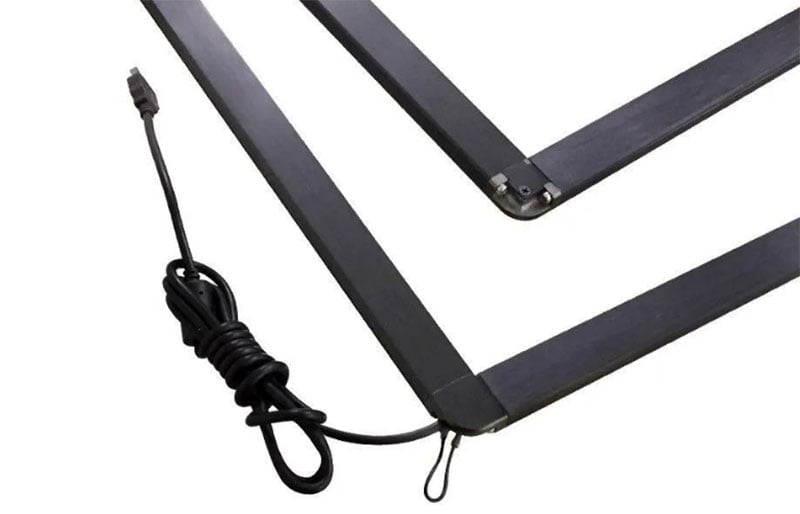
To enable touch interaction on LED display screens used in meeting rooms, a special infrared touch frame is installed over the LED screen.
This frame contains precisely arranged infrared emitters and receivers along the edges, forming an invisible grid of IR light across the screen surface.
When a user touches the screen, their finger or stylus blocks some of these beams, allowing the system to accurately detect the touch position in real time.
This is a proven and widely adopted method for turning LED video walls into interactive touch displays.
(2) Multi-touch and High Precision
Modern LED touch display solutions support multi-touch capability, allowing several users to interact with the screen simultaneously.
Powered by advanced scanning algorithms and a hybrid matrix detection system, the technology provides fast response time, pinpoint accuracy, and zero touch drift, ensuring a smooth writing and annotation experience during meetings or presentations.
These features make it ideal for use in conference rooms, control centers, and smart classrooms.
(3) Finger or Stylus Operation
The LED screen with touch functionality responds to any non-transparent object, including fingers, styluses, or touch pens. No special pressure is required—users can operate naturally just like on a tablet.
This makes LED display touch systems more intuitive and convenient for collaborative team sessions or real-time brainstorming, especially when paired with interactive whiteboard software.
(4) Improved Durability with GOB and COB Technology
Traditional fine-pitch LED displays were vulnerable to damage from direct contact, often requiring protective glass layers.
However, with the rise of GOB (Glue-on-Board) and COB (Chip-on-Board) technology, the surface durability of LED panels has significantly improved.
These solutions allow direct touch interaction without additional protection while preserving high contrast and color clarity, making them well-suited for high-resolution indoor LED touch screens used in business settings.
(5) Simple Setup and Enhanced Compatibility
LED touch solutions offer plug-and-play operation, requiring no complex drivers.
Infrared touch frames can be easily installed on-site and configured for multi-frame fusion (to cover larger screens) or split for multi-device control.
They also perform well in bright lighting conditions, resisting interference from ambient light.
These advantages make LED touch screens easy to deploy in modern meeting rooms, offering interactive functionality without sacrificing image quality or reliability.
7. 8 Suggestions For Indoor Conference Room LED Display
(1) Clear application scenario requirements
The use scenario directly determines the screen technical parameters.
When used for academic seminars and remote video conferences, it is necessary to give priority to products with a resolution of 4K or above to ensure that the chart data and character details are clearly visible
If it is mainly used for playing corporate promotional videos, you can choose a more cost-effective model based on your budget.
(2) Adapt to the space layout of the conference room
Plan the screen size according to the principle of “small near and large far”.
A 60-80-inch screen is recommended for a small conference room of 10-20㎡ to ensure visual comfort
A 100-inch + ultra-wide screen is recommended for a large conference room of more than 50㎡, and a panoramic coverage is achieved with multi-screen splicing technology.
(3) Weigh resolution and pixel density
The pixel pitch (P value) is positively correlated with the viewing distance.
For a close viewing scene of 1-3 meters, it is recommended to choose a P1.2-P2.5 micro-pitch screen to achieve a retina-level display effect
The viewing distance of 5 meters can be relaxed to P3-P4, taking into account both cost and clarity.
(4) Control optical display parameters
The recommended indoor environment brightness range is 800-1500nits, with a dynamic contrast ratio of ≥5000:1 to ensure sharp text and rich colors.
Screens that support HDR technology can further enhance the expression of light and dark details.
(5) Build a full-scenario connection ecosystem
Choose products equipped with mainstream interfaces such as HDMI 2.1, Type-C, DP, etc., and support 4K 60Hz high-speed transmission.
Models with wireless screen projection function can realize free switching of multiple devices and create a cable-free meeting space.
(6) Introduce intelligent interactive system
Smart screens equipped with infrared touch and gesture recognition can realize interactive functions such as annotation and voting
Products with integrated AI voice assistants support intelligent meeting records and significantly improve collaboration efficiency.
(7) Optimal quality assurance plan
It is recommended to choose brand products with ISO certification and 3C certification, and pay attention to modular design for easy maintenance in the future.
Prioritize service providers that provide a 5-year warranty and 7×24-hour response to ensure stable operation of the equipment.
(8) Formulate a scientific budget plan
Comprehensively compare products of the same specifications from different brands and be wary of low-price traps.
It is recommended to reserve 15% of the total budget as a post-maintenance fund to ensure that the cost of use throughout the life cycle is controllable.
8. How to Choose the Right LED Display Size and Aspect Ratio?
Choosing the right LED display screen for a meeting room is crucial for ensuring optimal visibility, comfort, and functionality.
Since modern meeting rooms often serve multiple purposes—such as video conferencing, presentations, and training sessions—the screen’s size, aspect ratio, and resolution must be tailored to the actual space and audience.
(1) Assess the Wall Size First
The physical wall space sets the upper limit for screen dimensions. Most meeting rooms are around 3 meters high.
After accounting for furniture (like tables), a screen height of around 2 meters is suitable. With the widely used 16:9 aspect ratio, the width would be about 3.5 meters.
Always ensure the screen fits neatly within the available wall without blocking doors, windows, or other elements.
(2) Match Screen Size to Audience and Viewing Distance
Small meeting rooms (up to 20 people)
Viewing distance is often within 5 meters. A screen width of 3–4 meters is usually sufficient and prevents visual discomfort.
Large conference rooms or auditoriums (100+ people)
Viewers in the back may be 20–30 meters away. In this case, a screen width of at least 6 meters is recommended to maintain legibility from all angles.
(3) Choose the 16:9 Aspect Ratio for Compatibility
The 16:9 ratio aligns with most laptops, videos, and presentation software. It also matches the standard size of many LED cabinets, making installation easier and neater.
If an exact 16:9 ratio isn’t feasible, try to keep the proportions as close as possible to avoid content distortion.
(4) Determine Pixel Pitch Based on Viewing Distance
Pixel pitch (P value) affects clarity and cost. The rule of thumb is: Pixel Pitch = Viewing Distance ÷ 2
Examples:
Viewing distance of 6 meters → P3 or lower
Viewing distance of 3 meters → P1.5 or lower
For general meeting room use, P1.25 to P2.5 offers a good balance between clarity and price.
(5) Optimize Brightness for Indoor Comfort
Meeting rooms are typically well-lit. Choose a screen brightness between 100–500 cd/㎡ to avoid eye strain during long sessions.
Too much brightness can cause discomfort, while too little may reduce image depth.
(6) Prioritize High Refresh Rate for Smooth Display
Meeting rooms are typically well-lit. Choose a screen brightness between 100–500 cd/㎡ to avoid eye strain during long sessions.
Too much brightness can cause discomfort, while too little may reduce image depth.
(5) Optimize Brightness for Indoor Comfort
Select a screen with a refresh rate of at least 3840Hz. This ensures:
-Smooth video playback
-Flicker-free viewing
-Clean appearance on cameras during video calls or recordings
Summary: Key Steps to Choose the Right LED Display
✅ Measure the wall area to determine the screen’s max dimensions
✅ Base the screen width on the number of viewers and their distance
✅ Prioritize the 16:9 aspect ratio for compatibility and clean visuals
✅ Use the “distance ÷ 2” rule to select pixel pitch
✅ Ensure brightness and refresh rate are optimized for eye comfort
✅ If budget allows, go for smaller pixel pitch for better detail
There’s no universal standard for meeting room LED displays. The best choice is the one that fits your space, your audience, and your goals.
With proper planning and selection, an LED screen can significantly improve communication, professionalism, and overall meeting experience.
9. FAQs
What pixel pitch is best for a conference room LED screen?
For most conference rooms, P1.2 to P2.5 is commonly used. Smaller pixel pitch such as P1.2 or P1.5 is better for close viewing, while P2.5 or P3 can be considered for larger rooms with longer viewing distance.
Is an LED screen better than a projector for a meeting room?
Yes, an LED screen is usually better for a bright meeting room because it provides higher brightness, better contrast, seamless display, and more stable image quality under indoor lighting. A projector is cheaper, but its image can look weak in bright environments.
Can LED screens be used for video conferencing?
Yes. A high-refresh conference LED screen can display remote participants, presentation slides, charts, and shared documents clearly, making it suitable for hybrid meetings, remote training, and online collaboration.
How much does a conference LED screen cost?
The cost depends on screen size, pixel pitch, cabinet type, installation method, control system, and project requirements. Smaller pixel pitch and higher resolution usually increase the total budget.
Why choose UNIT LED for a conference room LED display?
UNIT LED provides indoor LED display products, conference LED screen solutions, technical drawings, installation guidance, spare parts, and after-sales support. The solution can be customized according to room size, viewing distance, wall structure, and meeting requirements.
For most conference rooms, P1.2 to P2.5 is commonly used. Smaller pixel pitch such as P1.2 or P1.5 is better for close viewing, while P2.5 or P3 can be considered for larger rooms with longer viewing distance.
Yes, an LED screen is usually better for a bright meeting room because it provides higher brightness, better contrast, seamless display, and more stable image quality under indoor lighting. A projector is cheaper, but its image can look weak in bright environments.
Yes. A high-refresh conference LED screen can display remote participants, presentation slides, charts, and shared documents clearly, making it suitable for hybrid meetings, remote training, and online collaboration.
The cost depends on screen size, pixel pitch, cabinet type, installation method, control system, and project requirements. Smaller pixel pitch and higher resolution usually increase the total budget.
UNIT LED provides indoor LED display products, conference LED screen solutions, technical drawings, installation guidance, spare parts, and after-sales support. The solution can be customized according to room size, viewing distance, wall structure, and meeting requirements.
10. Conclusion
UNIT conference LED screen supports multi-party video communication, information presentation, collaborative whiteboard, and wireless projection. Powerful functions bring a safe, reliable, convenient, and efficient ultimate video experience.
Want to get more information about LED screens for conference rooms? Just send us a message, and we will recommend suitable products and solutions for you.