How to Repair P6 Outdoor LED Display Sign Board Screen – Guide
With 6mm pixel pitch, high brightness, strong weather resistance, and long service life, P6 outdoor LED screens are built for stability and outdoor performance. Knowing how to repair P6 outdoor LED display sign board screen can help prevent downtime, reduce maintenance costs, and ensure long-term performance.
However, like all electronic systems, they may encounter issues such as dead pixels, color distortion, module failure, power supply breakdowns, communication errors, or environmental damage.
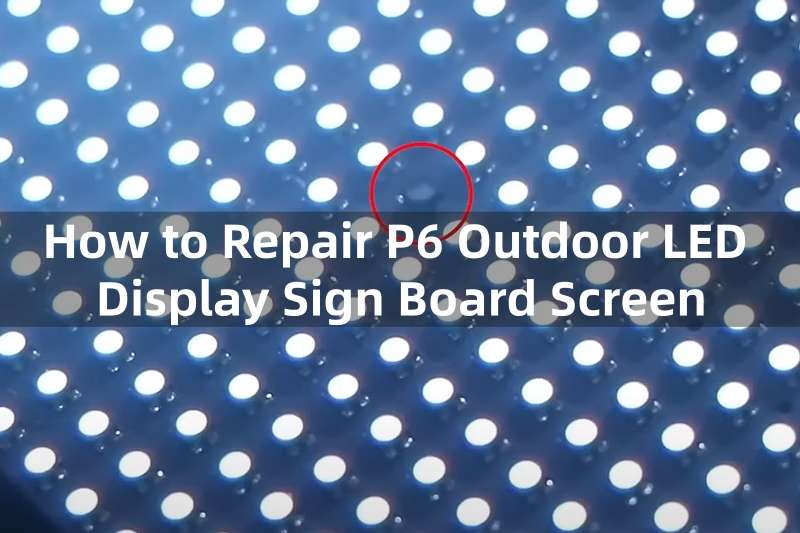
This comprehensive guide provides a step-by-step repair and troubleshooting process. Covers common LED display problems, diagnostics, module repair, maintenance tips, etc.
Table of Contents
1. Understanding the Structure of P6 Outdoor LED Screen
Before performing how to repair P6 outdoor LED display sign board screen, it’s important to understand the fundamental components of a P6 outdoor LED display.
Outdoor LED display is designed to deliver clear, bright, and stable visual content in challenging outdoor environments. To repair or troubleshoot such a screen effectively, it is essential to understand its internal structure and how each component works together.
The performance, stability, and durability of a P6 LED display rely on the seamless interaction of its modules, electronics, power system, and control network.
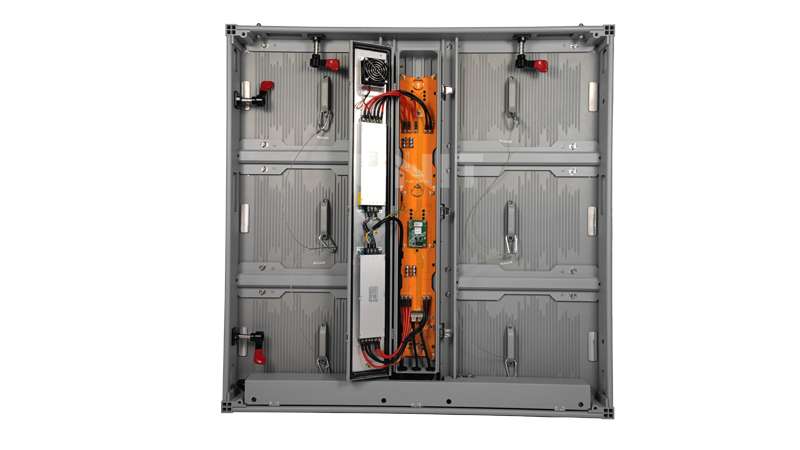
① LED Modules
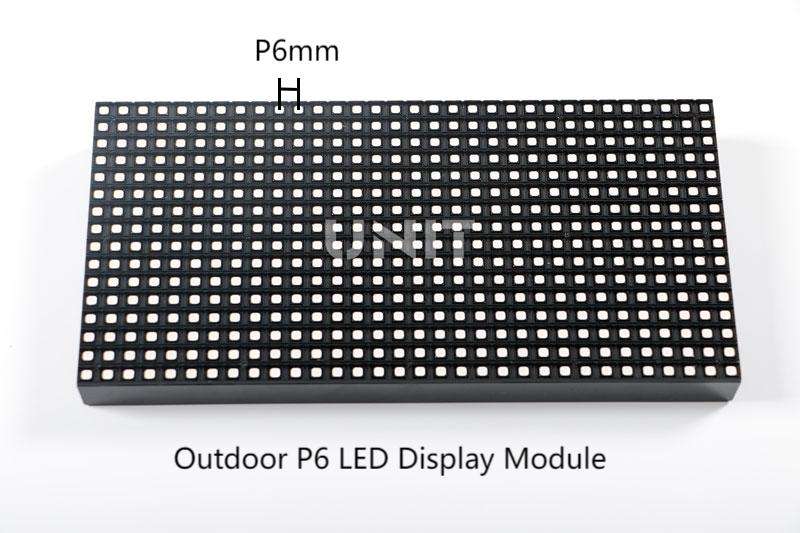
At the core of the P6 LED sign board are the LED modules. It is commonly built with SMD (Surface-Mounted Device) LEDs, typically SMD2727 or SMD3535, for outdoor brightness and weather resistance.
A single module consists of an LED lamps matrix, a PCB, driver ICs, and a waterproof housing. These modules are tiled across the cabinet to form the full screen, ensuring uniform color and brightness.
② Cabinet Structure
The LED modules are mounted onto robust metal cabinets, usually made of aluminum or iron.
Outdoor LED cabinets feature an IP65/IP67 waterproof rating, anti-corrosion coating, heat-dissipation vents, and sometimes built-in fans. The cabinet ensures protection from rain, dust, UV exposure, and extreme temperatures.
③ Power Supply System
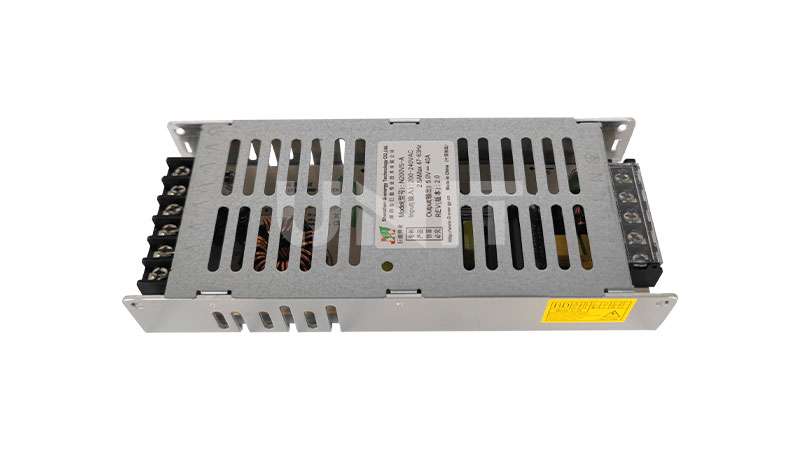
Each cabinet contains multiple 5V switching power supplies that convert AC mains into stable DC power for LED modules and control cards.
Proper power distribution is critical to prevent flickering, dimming, or total blackouts.
④ Data Cables & Power Cables
Flat ribbon cables and network cables deliver data signals from receiving cards to the LED modules. Power cables deliver 5V DC to each module.
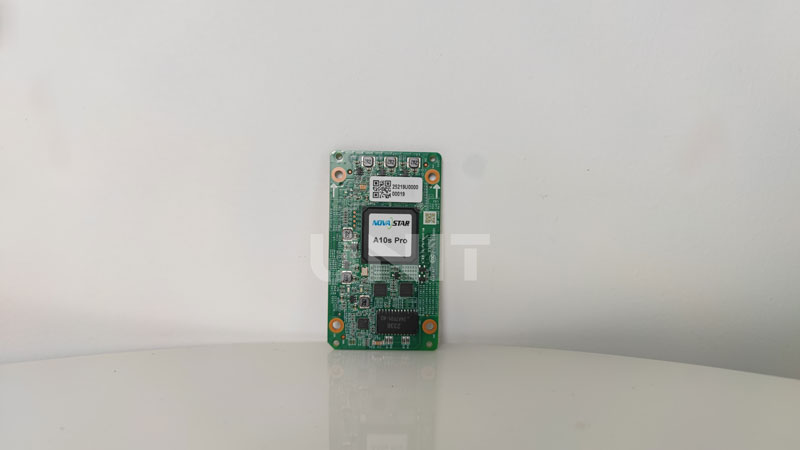
⑤ Receiving Card
Installed inside the cabinet, the receiving cards decode the signal sent from the control system, ensuring accurate image reproduction.
⑥ Control System
The sending card, video processor, and LED control software form the display’s command center. They manage video input, brightness settings, screen mapping, and synchronization.
Understanding these components provides the foundation for efficient troubleshooting and repair of any P6 outdoor LED display screen.
2. Common Problems in P6 Outdoor LED Displays
Here are the issues most frequently encountered in P6 outdoor LED display sign board screens, many of which are caused by long-term operation, environmental exposure, or aging components.
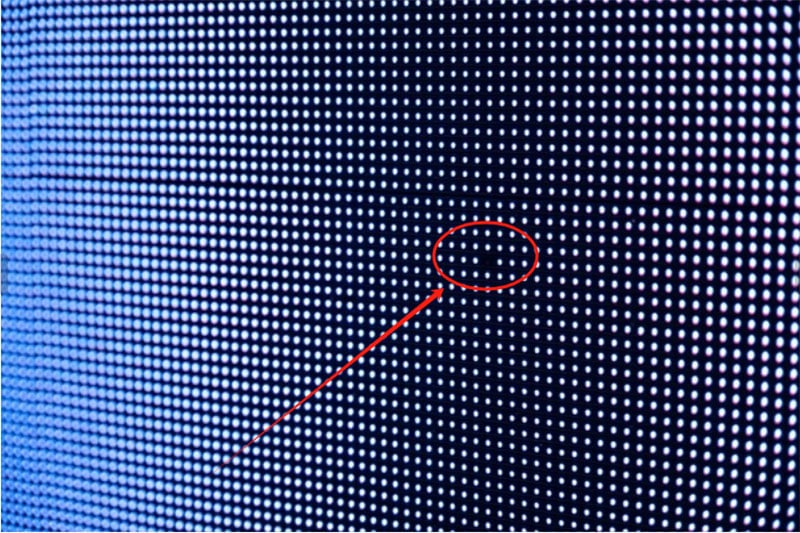
Problem 1. Dead LED Pixels
Dead or stuck LEDs are among the most visible problems.
Individual pixels may fail to light up, remain permanently dark, or get stuck on a single color (red, green, or blue). This is usually caused by LED lamp failure, solder joint damage, or IC malfunction.
Problem 2. Entire Cabinet Failure
If an entire cabinet goes dark, the root cause is often a failed power supply, burnt cables, or a receiving card that has stopped functioning.
Problem 3. Brightness Inconsistency
If some areas appear dimmer or brighter, it may be due to aging LEDs, uneven calibration, or unstable power output across modules.
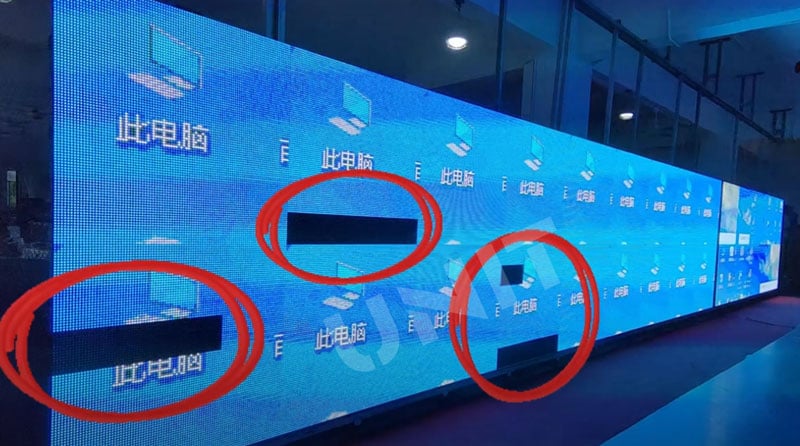
Problem 4. Partial Module Blackout
Sometimes one or several modules stop displaying content. This issue is frequently related to faulty flat cables, damaged driver ICs, loose connectors, or internal PCB defects.
Problem 5. Color Distortion / Incorrect Colors
Missing color channels, mismatched hues, color blocks, or mixed colors may appear. These problems typically result from signal transmission errors, incorrect module mapping, or driver IC damage.
Problem 6. Communication Failure
Communication issues prevent the screen from receiving video data. The control software may display “No sending card detected,” often caused by damaged network cables or misconfigured IP addresses.
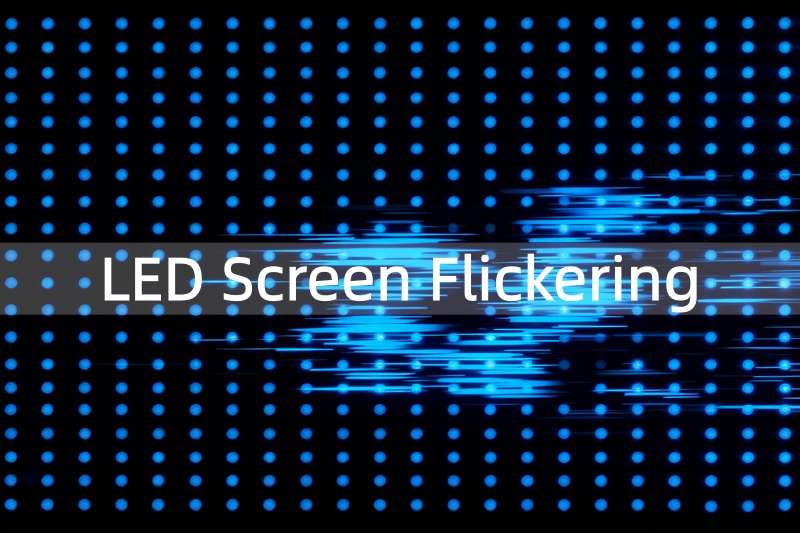
Problem 7. Flickering or Ghosting
This flickering visual abnormality is commonly linked to weak power supplies, failing ICs, or poor-quality signal cables.
Problem 8. Water Ingress
Outdoor LED screens may suffer from waterproof failure after heavy rain. Moisture can cause short circuits, corrosion, and random color patches.
Problem 9. Power Supply Burning or No Power
Overload, overheating, or aging power supplies can lead to total power loss or unstable voltage output.
Problem 10. LED Cabinet Overheating
When cooling fans fail, ventilation becomes blocked, or temperatures climb too high, the cabinet overheats, causing brightness drop, flicker, and accelerated aging.
If you want to know more about LED screen problems, please check: Why LED Display Not Working? Troubleshooting & Repair Guide
3. Pre-Repair Safety Checks
Before starting how to repair P6 outdoor LED display sign board screen, follow these precautions:
- Turn off All Power Supplies
High voltage and DC circuits can be dangerous.
- Use Insulated Tools
Prevents accidental short circuits.
- Wear Anti-static Wrist Straps
Protects ICs and LED modules.
- Ensure Cabinet Is Dry
If water has entered, let it dry completely before powering on.
- Label Cables before Unplugging
Avoid connection errors during reassembly.
- Use proper protective equipment
Helmet, gloves, and climbing gear (for outdoor LED billboards).
4. Step-by-Step Troubleshooting Guide
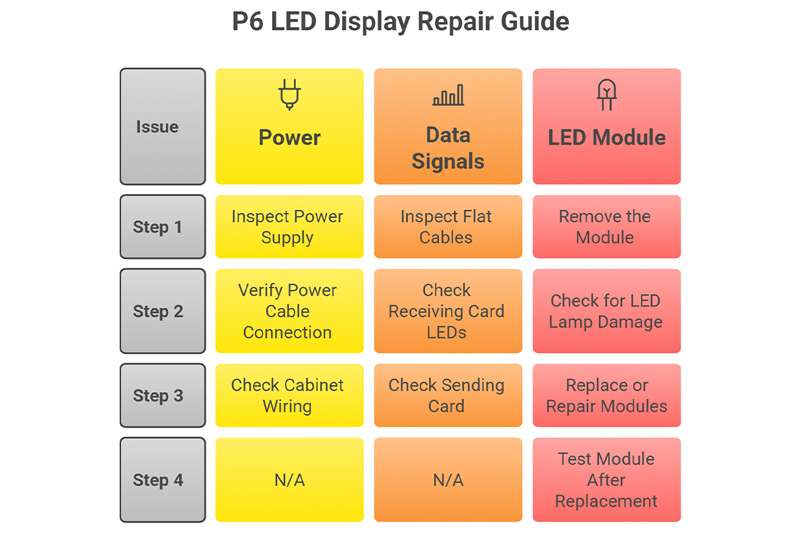
This section explains how to repair P6 outdoor LED display sign board screen by identifying issues from basic to advanced levels.
4.1 Check if the Display is Receiving Power
Step 1: Inspect the Power Supply
Use a multimeter to check output voltage (should be around 4.8–5.2V).
Ensure the indicator light on the PSU is ON.
Replace PSU if:
- Voltage is unstable
- No output
- Physical burn marks
Step 2: Verify Power Cable Connection
- Loose connectors
- Burnt cables
- Corroded terminals
Step 3: Check Cabinet Wiring
If one cabinet remains dark, the internal power supply or cable is likely faulty.
4.2 Check Data Signals
Step 1: Inspect Flat Cables
Swap the ribbon cables with a working one.
Replace if:
- Bent or damaged
- Loose connector pins
Step 2: Check Receiving Card LEDs
Receiving cards have status lights:
- One steady light + one blinking light = Normal
- No light = No power
- Both lights steady = Signal error
Step 3: Check Sending Card
Open LED control software.
Ensure it recognises the sending card.
Restart the software and reconnect the cables.
4.3 Fixing LED Module Problems
Step 1: Remove the Module
Outdoor P6 modules may use:
- Front service magnetic design
- Rear service screw design
Front Service
Rear Service
Step 2: Check for LED Lamp Damage
Dead pixels may be caused by:
- Damaged LED lamp
- IC failure
- Moisture corrosion
Step 3: Replace or Repair Modules
Depending on the issue:
- Replace a single LED lamp (requires soldering skill)
- Replace entire module (recommended)
Step 4: Test Module After Replacement
Display full-color patterns to verify:
- Red, green, blue performance
- Brightness uniformity
- No flickering or lines
5. How to Fix Color Errors in a P6 LED Screen?
Color errors are common in P6 outdoor LED screens, especially after long periods of operation or improper configuration.
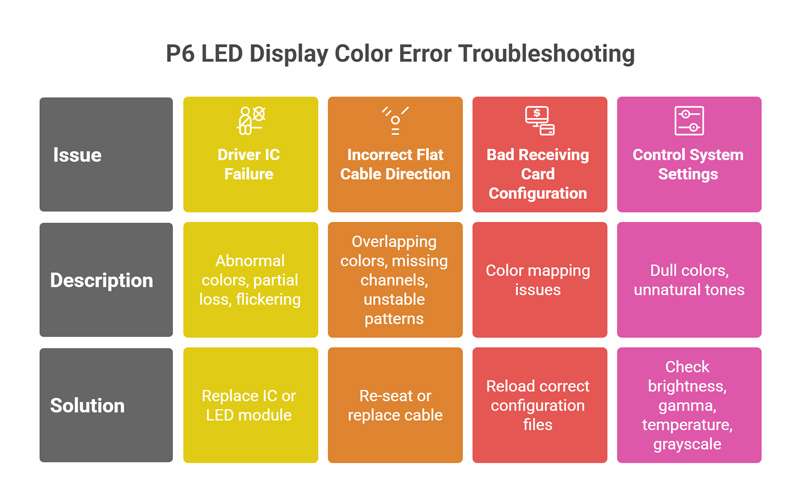
How to repair P6 outdoor LED display sign board screen for the Color Errors? If the display shows incorrect colors, missing color channels, or mixed hues, the following areas should be checked carefully.
① Driver IC Failure
The driver IC regulates the behavior of each pixel. When it becomes damaged, the affected module may show abnormal colors, partial color loss, or flickering.
The most effective solution is to replace the faulty IC or swap the entire LED module, as IC-level repair requires advanced soldering skills.
② Incorrect Flat Cable Direction
Flat ribbon cables must be connected in the correct orientation. If a cable is reversed or loosely inserted, the screen may show overlapping colors, missing red/green/blue channels, or unstable patterns.
Re-seat or replace the cable to restore normal output.
③ Bad Receiving Card Configuration
Incorrect configuration files can cause color mapping issues.
Reload the correct LED display configuration file and cabinet mapping file to ensure accurate color decoding and pixel alignment.
④ Control System Settings
Software settings may also affect color performance.
Check brightness levels, gamma correction, color temperature, and grayscale options in the LED control software. Incorrect parameters may cause dull colors or unnatural color tones.
By systematically checking these areas, most color-related issues in P6 LED displays can be resolved quickly and effectively.
6. P6 LED Sign Board Screen Flickering, Ghosting & Lines Repair
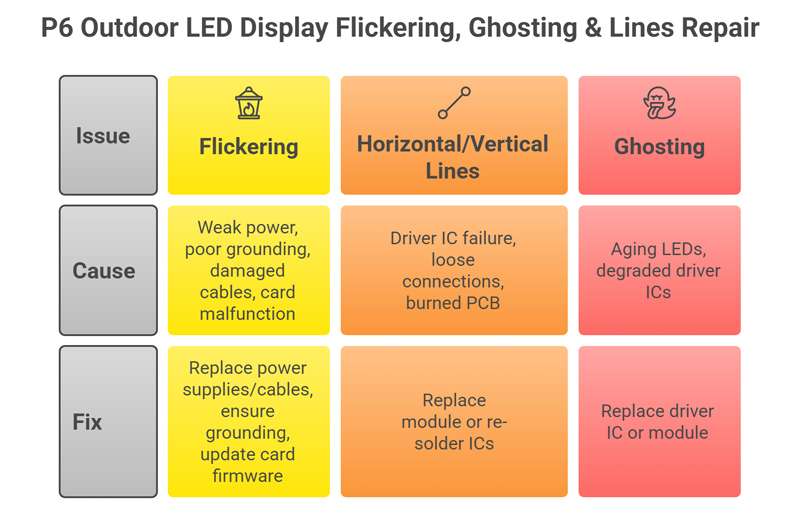
Flickering, ghosting, and horizontal or vertical lines are common visual abnormalities in P6 outdoor LED displays.
These issues often indicate deeper electrical or signal-related problems within the screen’s modules, wiring, or control system. How to repair P6 outdoor LED display sign board screen for these issues? Follow the below:
① Flickering Causes
LED screen flickering usually results from a weak or unstable power supply, poor grounding, damaged flat cables, or receiving card malfunctions. When the power output fluctuates or grounding is insufficient, the LEDs cannot maintain stable brightness. Damaged ribbon cables may also interrupt data flow, causing intermittent display issues.
Fix: Replace faulty power supplies and flat cables, ensure proper grounding of the cabinet, and update the receiving card firmware to eliminate communication instability.
② Horizontal or Vertical Lines
Lines appearing across the screen, either horizontal or vertical, are often linked to driver IC failure, loose cable connections, or burned PCB traces on the module.
Fix: Replace the affected module entirely or re-solder the damaged ICs if repairable.
③ Ghosting Problems
Ghosting, where shadows or duplicated images appear, is common in older or heavily used modules. It typically stems from aging LEDs or degraded driver ICs.
Fix: Replacing the driver IC or swapping the entire module usually restores clean, stable visuals.
Addressing these issues promptly helps maintain consistent display performance and prevents long-term damage.
7. Control System Troubleshooting
When a P6 outdoor LED display cannot show images, fails to update content, or cannot be controlled remotely, the problem often lies within the control system.
How to repair P6 outdoor LED display sign board screen? Troubleshooting these components step-by-step ensures stable signal transmission and proper screen functionality.
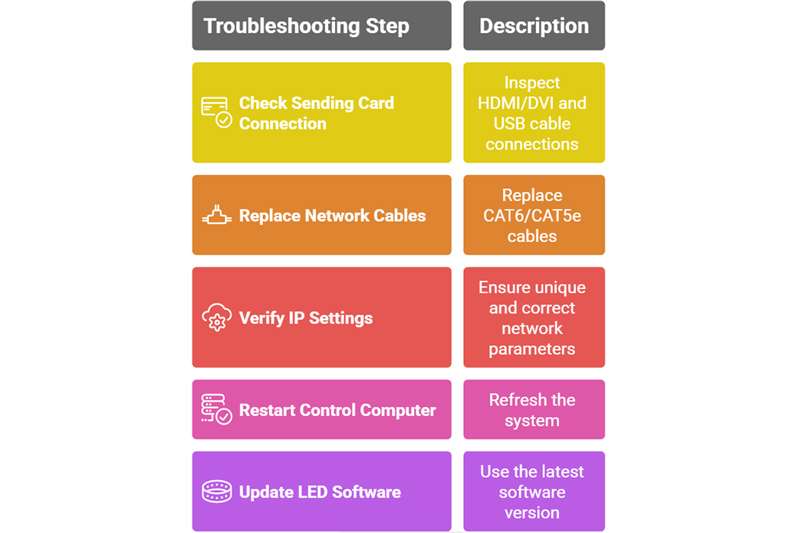
① Check Sending Card Connection
Start by inspecting all physical connections.
The HDMI or DVI cable must be firmly connected between the control computer and the sending card to transmit video data correctly.
Additionally, ensure the USB communication cable is detected by the computer, as it enables control commands and configuration imports.
② Replace Network Cables
Outdoor LED screens typically rely on long-distance CAT6 or CAT5e network cables.
Over time, these cables can become oxidized, damaged by weather, or internally broken. Replacing worn-out cables often resolves signal dropouts or control delays.
③ Verify IP Settings
Incorrect IP addresses, subnet conflicts, or duplicated IPs between the sender and receivers can cause blank screens or incomplete image loading. Ensure that all devices are set to unique and correct network parameters.
④ Restart Control Computer
Software freezes or communication errors may occur after long runtime. Restarting the computer refreshes the system and resolves temporary glitches.
⑤ Update LED Software
Always use the latest version of LED control software, such as NovaStar, Colorlight, Linsn, or Huidu, to ensure compatibility with hardware and prevent configuration errors.
8. Power Supply Repair Guide
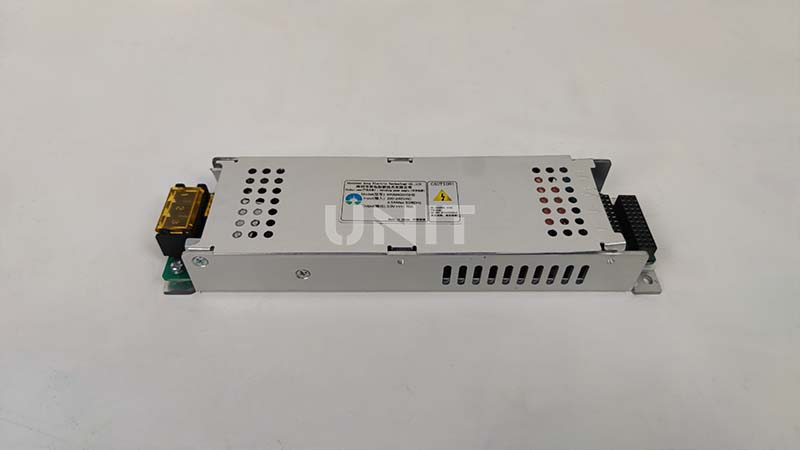
The power supply unit (PSU) is one of the most frequently failing components in P6 outdoor LED screens because it runs continuously and must endure high temperatures, voltage fluctuations, and outdoor conditions.
A malfunctioning PSU can cause large areas of the screen to stop working or behave abnormally.
(1) Signs of a Bad PSU
Common symptoms include entire sections of the display not lighting up, the PSU indicator light turning off, or the voltage dropping significantly under load.
You may also notice flickering or brightness fluctuation when the screen shows white or high-brightness content, an indicator that the PSU can no longer deliver stable power.
(2) How to Repair Power Supply Issues
Begin by checking the input side to ensure stable 220V AC power. Use a multimeter to measure the DC 5V output.
If the voltage is unstable, too low, or fluctuating, the safest solution is to replace the PSU immediately.
(3) Avoid Low-Quality PSUs
Low-grade power supplies tend to overheat, produce unstable brightness, and shorten the lifespan of LED modules. Always choose reliable, certified power supplies for outdoor installations.
9. Preventive Maintenance for P6 Outdoor LED Displays
Learning how to repair P6 outdoor LED display sign board screen is important, but regular maintenance is also necessary.
Regular preventive maintenance is essential for extending the lifespan of P6 outdoor LED displays and ensuring long-term performance. By following scheduled inspections, users can prevent major failures and maintain optimal brightness and stability.
9.1 Monthly Checklist
- Clean surface dust and debris to prevent heat buildup.
- Check module screws and structural components for loosening.
- Test all power supplies for stable voltage output.
- Inspect waterproof seals and gaskets for cracks or leaks.
9.2 Every 3 Months
- Reload calibration files to maintain consistent brightness and color accuracy.
- Inspect cabinet ventilation and ensure air filters are not blocked.
- Tighten all internal and external cables to avoid intermittent signal loss.
9.3 Every 6–12 Months
- Replace aging or noisy cooling fans to prevent overheating.
- Perform a full-load brightness test to check power stability.
- Inspect the grounding system to reduce electrical risks.
- Reapply waterproof treatment if the cabinet shows signs of aging.
9.4 Cleaning Tips
- Use a soft, non-static cloth for gentle surface cleaning.
- Never use high-pressure water, which can damage LED pixels.
- Avoid harsh chemicals and wipe lightly to prevent pixel or mask damage.
Consistent maintenance ensures your P6 outdoor LED display stays reliable and visually impressive year-round.
10. Conclusion
How to repair P6 outdoor LED display sign board screen? Repairing a P6 outdoor LED sign board screen requires a systematic approach covering power systems, data communication, LED modules, driver ICs, waterproofing, and control systems. By following the steps in this guide, you can quickly diagnose issues, reduce downtime, and extend the display’s lifespan.
With proper maintenance, regular inspections, and timely component replacement, your P6 outdoor LED display can deliver bright, stable, and high-quality visuals for many years.