LED Display Player: Software Login Password, Types And More!
Choosing the right LED display player is essential for any LED screen setup, whether you’re managing a retail display, an outdoor billboard, or a rental stage screen.
These devices act as the brain behind content playback, scheduling, and real-time control.
In this guide, we’ll explain its core functions, common LED media player box software login passwords, and explore the different types available.
Table of Contents
What Is an LED Display Player?
Definition of LED Player
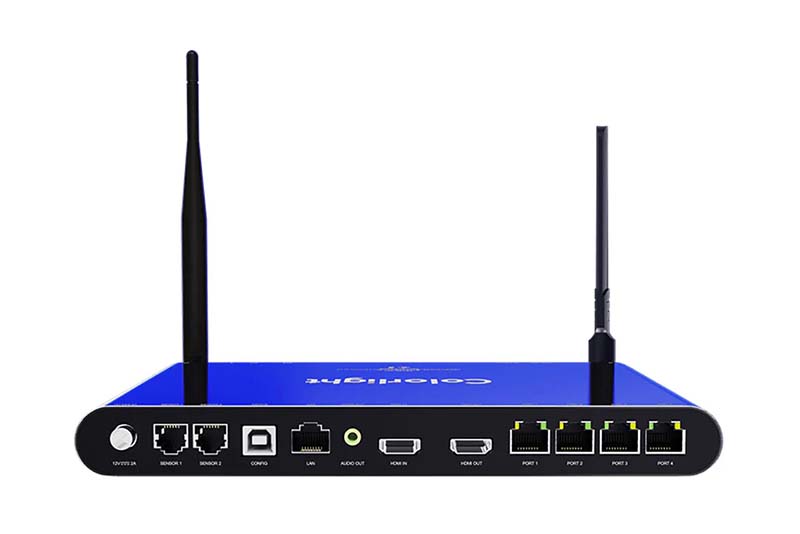
An LED player is a hardware device that controls what content appears on an LED screen.
As an essential part of any digital signage system, It handles videos, images, scrolling text, and more.
Think of it as the engine that powers visual communication on LED screens.
Importance of LED Video Player
An LED video player is important because it manages content playback efficiently.
With features like real-time scheduling, remote updates, and high-definition output, these players help businesses display the right message at the right time, whether on a storefront, billboard, or event screen.
An effective LED display player ensures smooth playback, reliable operation, and easy content management for any LED display project.
Core Functions of an LED Display Player
An LED player is more than just a playback device—it’s a full content management system tailored for LED displays.
Below are the core functions that make these players essential for businesses and advertising networks.
Scheduled Content Playback
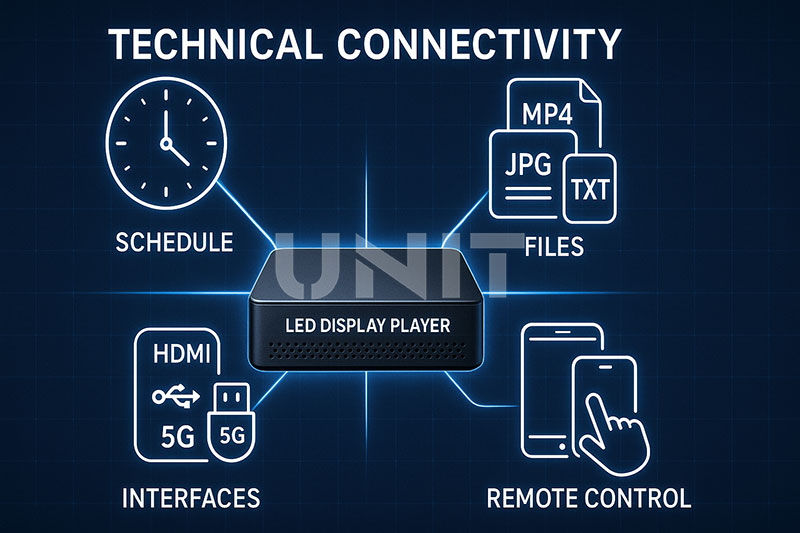
A major advantage of an LED display player is its ability to schedule media playback.
Users can set specific times for content to appear—perfect for time-sensitive promotions, daily ads, or event-based messaging.
Advanced models like the Novastar media player even support week-long and recurring schedules with precise timing.
Multi-Format Support
LED players support a wide range of media formats, including:
- Videos (MP4, AVI, MOV, etc.)
- Images (JPG, PNG, BMP)
- Text (scrolling messages, ticker lines)
This flexibility makes it easy to create dynamic and engaging digital signage using any combination of visual media.
Flexible Connectivity Options
Modern LED display media players offer multiple connection interfaces to suit different needs:
- HDMI for direct video input from external sources
- USB for local content uploads
- Ethernet for stable network control
- 4G/5G modules for remote updates in areas without wired internet
This range of connectivity makes it easy to deploy the device in both fixed and mobile LED display applications.
Remote Management and Monitoring
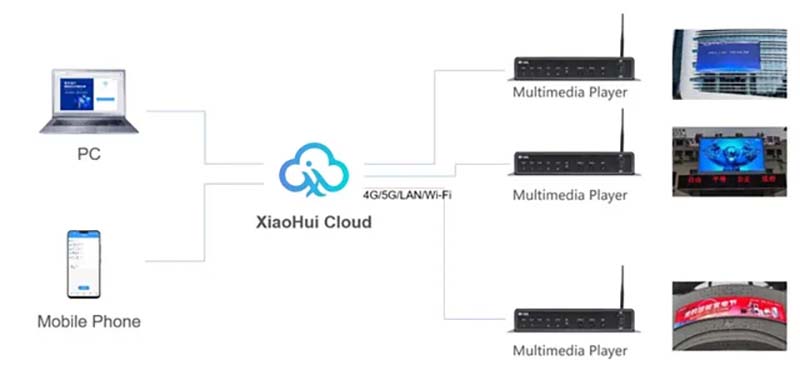
Many LED multimedia players—especially cloud-controlled LED display players—allow content to be managed remotely.
With cloud platforms or dedicated software like ViPlex Express, users can:
- Upload and replace content remotely
- Monitor device status and playback
- Receive error alerts and troubleshoot in real time
This is especially valuable for companies managing large networks of screens across multiple locations.
LED Player Box Software Login Password
NovaStar
The corresponding software version password is also different.
NovaStar Mctrl sending card or V series video processing and other synchronization products synchronization advanced login password: 666 or admin.
TB box and other media playback box products (old version: before version 4.6)
Account: admin
Password: 123456
WIFI password: 12345678
New version (after version 4.6)
Account: admin
Password: SN2008@+
WIFI password: SN2008@+
Colorlight
Debug software password: 168
Player box login information:
Account: admin
Password: Console@123
Password: Console
Previous versions 1-9
Linsn
Debug password: linsn
Player box password: 1-8 (written on the back label)
DigiBird
Username: admin
Password: 123
Kystar
Upgrade password: 666888
LED player box password: 88888888
ZH Media Player
The initial password is 12345678
In addition, the screen setting password: 168
Advanced setting password: 888
Listen Vision/Huidu
LED player box default password: 88888888
Sysolution Multimedia Player
The initial password of the LED player box: 12345678
Control Modes That Use LED Display Players
Understanding when to use an LED display player is essential for choosing the right setup for your LED screen.
The decision depends largely on how you plan to operate and manage your display content.
Asynchronous Control with LED Display Player
An asynchronous control system is the primary scenario where an LED display player is used.
In this setup, content is preloaded into the player and then displayed on the LED screen without needing a constant connection to a computer.
This is ideal for applications that do not require real-time input or frequent changes.
Typical use cases include:
- Retail storefront LED signs
- Outdoor advertising billboards
- LED posters and window displays
- Transportation displays (e.g., bus or taxi LED screens)
LED video players in these systems allow for scheduled playback, remote content updates, and offline operation.
They are highly convenient for long-term and unattended operation.
What is LED Display Asynchronous Control System?
LED display asynchronous control system, also known as offline control system or offline card.
First edit the content to be played on the computer, such as text, graphics, animation, video, etc.
Then send the content to the control card of the LED display through transmission media, such as network cable, data cable, 3G/4G network, WiFi, USB flash drive, etc.
The control card then displays it in the preset way.
Even if the computer is turned off, the display can play in a loop according to the pre-set content.
Advantages:
Users only need to edit the content on the computer and transfer it to the control card, without complicated settings and operations
Compared with the synchronous control system, it has a lower cost and is suitable for some cost-sensitive application scenarios
It can be used for various indoor and outdoor display scenarios, such as door head screens, poster screens, car screens, advertising screens, traffic guidance screens, etc., especially for places with low real-time requirements.
Disadvantages:
Synchronous Playback Cannot be Achieved
The playback content is stored in the control card in advance and cannot reflect the content changes on the computer in real time
Limited Amount of Playback Information
Because the storage capacity of the control card is limited, it cannot store information indefinitely.
There are certain limitations on the length and complexity of the content that can be played.
Not Convenient to Change the Content
If you need to change the content, you need to reset it in the computer software and transfer it to the control card.
Dual Mode: Synchronous + Asynchronous
Some modern LED display players support dual mode operation—both synchronous and asynchronous.
These dual mode LED display players offer flexibility by allowing offline scheduled playback and real-time video input through HDMI or other ports.
This is especially useful in situations where both live content and pre-scheduled content need to be shown.
Such as mobile LED trucks or public display systems with occasional live events.
Synchronous Control Without LED HD Player
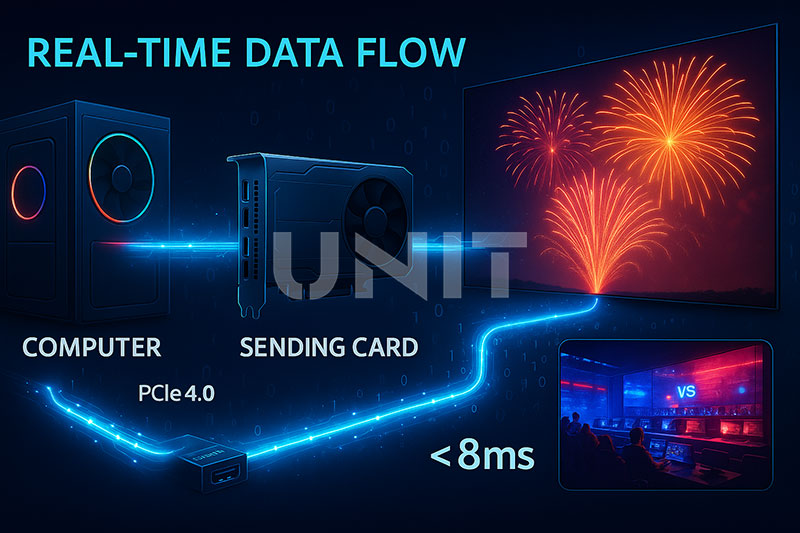
In a synchronous control system, content is streamed in real-time from a computer or media server.
This method does not typically involve an LED HD media player. Instead, it uses a graphics card and a sending card to push live content directly to the screen.
Synchronous control is better suited for:
- Stage backgrounds LED display
- Live broadcast events
- Interactive presentations
- Real-time monitoring screens
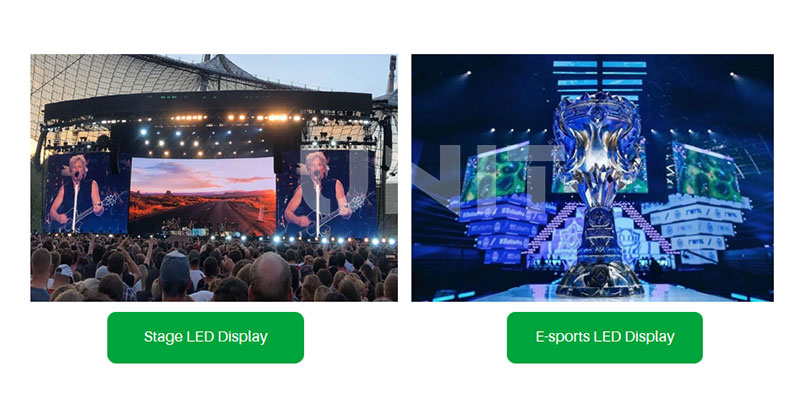
This setup requires a constant data feed and is often more complex but necessary for high-resolution or live event applications.
Types of LED Display Players Explained
Choosing the right LED display player depends on how the LED screen will be used.
From simple indoor setups to complex outdoor advertising networks, there are several types of players designed to meet different operational needs.
Standalone LED HD Players
Standalone players are basic LED HD players that support local content playback via USB drive or SD card.
These devices store media internally and do not require an internet connection to operate.
They are often used for:
– Indoor LED screens
– Small digital posters
– Simple advertising setups in retail shops or reception areas
These players are cost-effective, easy to install, and offer plug-and-play functionality.
For users who need to update content occasionally and don’t require real-time control, standalone LED players provide a reliable solution.
Cloud-Based / Networked LED Media Players
Cloud-based or networked LED media players are ideal for managing multiple screens across different locations.
These players connect to the internet via Ethernet, Wi-Fi, or 4G/5G, allowing users to upload and schedule content remotely.
This type of system is widely used in:
– Outdoor LED billboards
– Transportation hubs
– Digital signage networks
Brands like Novastar LED offer advanced media players such as the TB40, which support remote updates, real-time monitoring, and high-resolution playback.
Cloud-controlled systems are essential for businesses that need scalable and centralized content management.
Dual Mode LED Display Player
A dual mode LED display player supports both asynchronous (offline scheduling) and synchronous (real-time input) control.
This dual functionality allows users to switch between local playback and live video input depending on the scenario.
This type is especially useful for:
– Mobile LED screens (e.g., on vehicles or event trucks
– Rental LED display systems
– Environments where both scheduled ads and live feeds are needed
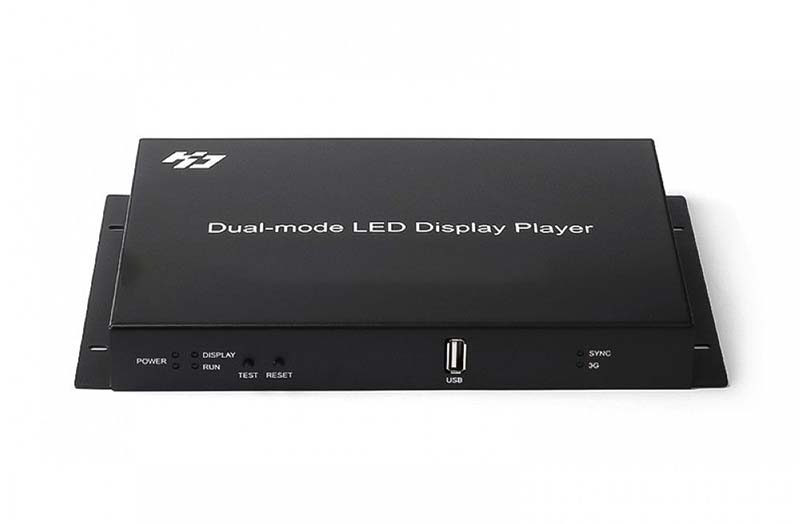
With this flexibility, dual mode LED display players are becoming increasingly popular for applications that require versatile content delivery.
Common LED Display Player Products
There are several well-known LED display player brands in the market, each offering unique features suited to different applications.
Below are three of the most commonly used players in commercial and industrial LED display projects.
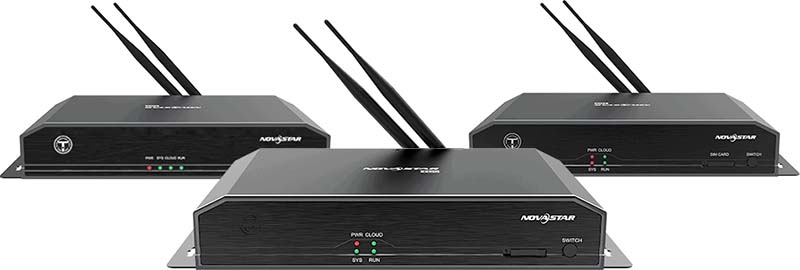
Novastar LED Media Player
Novastar is a leading brand in the LED control system industry. Their media players, such as the Novastar TB40, support both asynchronous and cloud-based content control.
Key features:
- High-resolution video playback
- Remote control through ViPlex software
- Support for 4G, Wi-Fi, and Ethernet connectivity
- Widely used in large-scale LED advertising networks
The Novastar media player is ideal for businesses that require reliable, networked content management and scalable deployment.
Colorlight LED Player
Colorlight offers a range of LED video players that focus on performance and ease of use.
Products: A35, A100, A200, A500, A2K, A4K LED Media Player
Their systems support real-time preview, flexible screen configurations, and a wide variety of formats.
Advantages:
- Seamless integration with Colorlight control cards
- Real-time screen preview and content scheduling
- Suitable for both indoor and outdoor displays
Colorlight players are often used in fixed installations such as retail chains, hotels, and indoor advertising panels.
Huidu LED HD Player
Huidu Technology provides LED HD players that are widely used in small to medium-sized displays.
These standalone players offer USB or SD card content loading, simple scheduling software, and basic cloud control options.
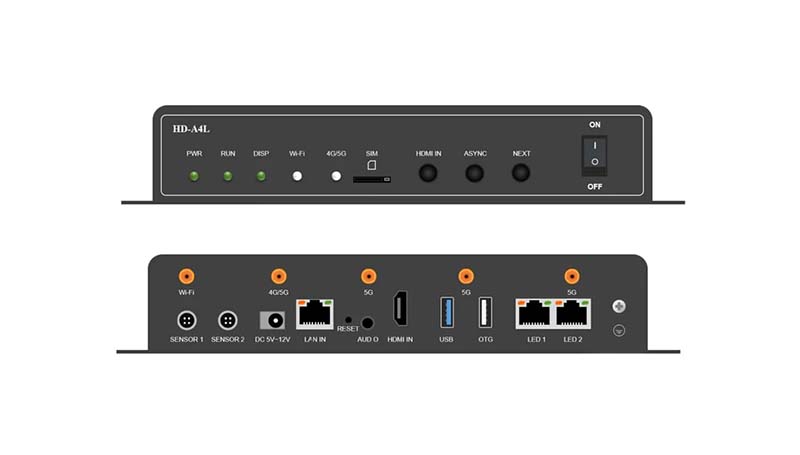
Dual-mode Multimedia Player: HD-A8/A7, HD-A6L/A5L/A4L, HD-B6
Benefits:
- Budget-friendly and easy to operate
- Compatible with many screen sizes and resolutions
- Perfect for standalone shop signs, LED posters, and window displays
Choose the Right LED Display Player for Your Project
Selecting the right LED display player is critical to ensuring smooth content delivery and system reliability.
The best choice depends on your screen’s location, the type of content you plan to display, and how you intend to manage it.
Define Your Application
Begin by identifying where and how the LED display will be used:
A. Indoor retail displays
A standalone LED HD player may be sufficient for simple image or video playback using USB.
B. Outdoor advertising
Requires a networked LED media player with cloud capabilities for remote updates.
C. Live or hybrid events
A dual mode LED display player provides both real-time and pre-scheduled playback flexibility.
Control Mode: Asynchronous vs Synchronous
A. Asynchronous Control (Offline Playback)
Ideal for scheduled content such as ads or announcements.
Look for LED players that support playlist scheduling, media format compatibility, and stable offline playback.
B. Synchronous Control (Real-time Input)
Needed for live video, stage backgrounds, or time-sensitive data. Choose players or systems with HDMI input and real-time feed capabilities.
C. Dual mode LED Display player
Recommended when both types are required, especially in rental or vehicle-mounted LED displays.
Connectivity and Format Support
Ensure the player supports the necessary connectivity interfaces:
HDMI and USB for local input
Ethernet, Wi-Fi, or 4G/5G for remote and cloud management
GPS or sensor integration for advanced applications like mobile displays or interactive content
Software and Platform Compatibility
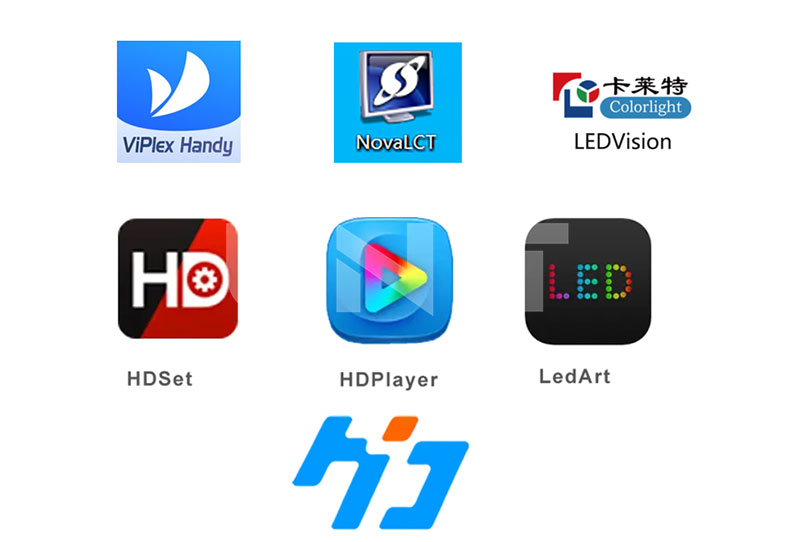
Choose a player that works with reliable control software.
For example:
Novastar LED display players use ViPlex and NovaLCT
Colorlight offers LEDVISION
Huidu supports HDPlayer and cloud platforms
Software support affects your ability to monitor, schedule, and troubleshoot content remotely.
Resolution and Hardware Matching
Always check resolution support, format compatibility (video, image, text), and storage capacity.
Make sure the LED video player is compatible with your screen’s pixel pitch and cabinet configuration.
Conclusion
An LED display player is a crucial component in any digital signage system, responsible for content delivery, playback scheduling, and remote control.
Whether you’re managing a simple indoor LED poster or a large outdoor video wall, choosing the right player can significantly impact the performance and flexibility of your LED display wall.
Brands like Novastar, Colorlight, and Huidu offer a wide range of solutions to meet various project needs, from local playback to real-time cloud synchronization.
Understanding your application scenario, control requirements, and connectivity preferences will help you make an informed decision.
If you’re looking for reliable, high-performance LED display player or need expert advice on the best system for your LED screens, feel free to contact us!