IPS Vs LED Display: Which Is Better for Real-World Use?
IPS display vs LED display is one of the most searched display comparisons, but it is also one of the most confusing. In consumer devices, IPS usually refers to an LCD panel technology, while LED often refers to the backlight behind an LCD screen. In commercial projects, LED can also mean direct-view LED displays, which are a very different type of product. That is why this comparison often confuses.
In simple terms, IPS is usually chosen for stable color, wide viewing angles, and visual consistency, while LED is often chosen for brightness, flexibility, and large-scale commercial use. The better option depends on the actual application, not just the label.
Keep reading before you buy, because the right choice depends far more on your real use case than on the label alone.
Table of Contents
Quick Answer: Is IPS or LED Better?
IPS is usually better for close-up viewing, office work, design tasks, and situations where color consistency and wide viewing angles matter. LED is usually better when the project needs stronger brightness, larger screen size, flexible installation, or public visibility.
For laptops and desktop monitors, IPS is often the safer choice. For retail walls, control rooms, stages, outdoor advertising, shopping malls, and commercial signage, direct-view LED is usually the stronger option.
| Choose IPS If You Need | Choose LED If You Need |
|---|---|
| Stable color for office work, design, or content editing | High brightness for public or bright environments |
| Comfortable close-up viewing for daily use | A large screen without visible bezels |
| A laptop screen, desktop monitor, or small display | A video wall, stage screen, signage display, or control room wall |
| Simple setup and lower installation complexity | Modular structure, custom size, and long-term commercial use |
1. IPS Display Vs LED Display Starts With The Right Definition
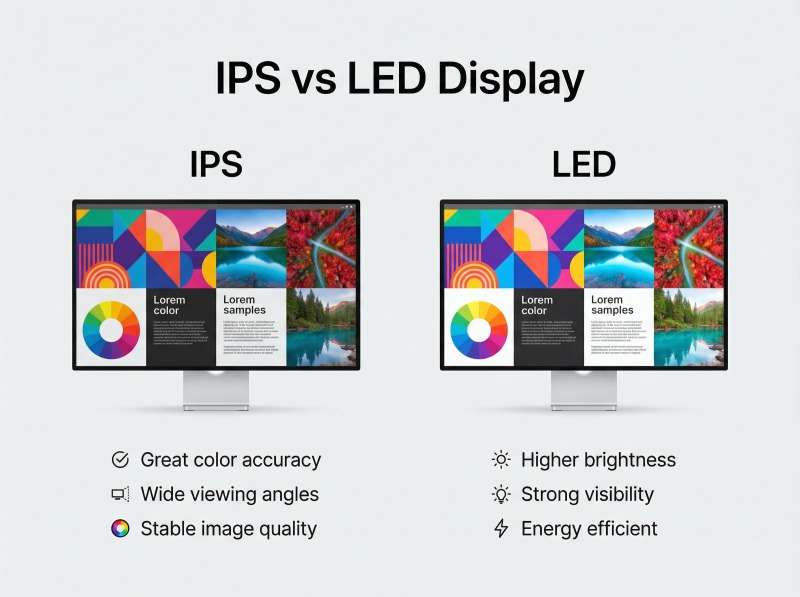
The most important starting point is that IPS and LED are often not direct equivalents.
IPS, or In-Plane Switching, is an LCD panel technology. LED, in many monitor and TV listings, refers to the light source behind the LCD panel rather than the panel structure itself. That is why an “LED monitor” can still use an IPS panel, a VA panel, or another LCD subtype.
This distinction becomes even more important in commercial display work. A desktop monitor sold as LED usually means LED-backlit LCD. A stadium board, retail wall, or stage backdrop sold as LED often means direct-view LED, where the pixels themselves are formed by LEDs rather than by an LCD layer. When people skip that distinction, almost every follow-up comparison becomes less accurate.
1.1 What is an IPS Display?
An IPS display is best understood as an LCD screen designed to prioritize color stability and wider viewing angles. Compared with many older LCD structures, IPS panels tend to keep colors more consistent when viewed from the side, which is why they became popular in design, photography, editing, and higher-quality office monitors.
That matters in everyday use more than many buyers expect. If you are reviewing layouts, adjusting brand colors, watching content with other people, or spending long hours on detailed work, a display that looks stable from multiple positions is easier to trust. IPS is not automatically the best for every budget, but it is often the safer choice when image consistency matters.
1.2 Pros & Cons of IPS
IPS usually makes the most sense when visual reliability matters more than finding the absolute lowest price.
- Pros: Wide viewing angles, more dependable color reproduction, stronger consistency across the panel, and a better collaborative viewing experience.
- Cons: Often costs more than basic alternatives in the same size class, may offer lower native contrast than some VA-type panels, and older IPS models were not always the first choice for fast competitive gaming.
In real buying terms, IPS earns its value when you care about what the screen is showing, not just that the screen turns on. That is why it keeps showing up in professional monitors, creator displays, and productivity-focused laptops.
1.3 What is an LED Screen?
An LED screen can describe two different product types, and buyers should separate them immediately. In consumer products, LED usually means LED-backlit LCD. In commercial display, LED may refer to direct-view LED, where the display is built from LED modules rather than from a traditional LCD panel.
That means the phrase “LED screen” is broad. It may describe a low-cost office monitor, a living-room TV, a 24/7 business signage panel, or a massive modular video wall. The term is useful, but only if you know which LED category is being discussed.
1.4 Pros & Cons of LED Displays
LED displays are attractive because they offer a wider range of brightness levels, form factors, and price points than IPS alone.
- Pros: Strong brightness potential, broad market availability, flexible price points, and the ability to scale from small screens to large commercial installations.
- Cons: The word “LED” by itself says very little about image quality, color accuracy still depends on the underlying panel or display architecture, and direct comparisons with IPS can be misleading if the category is not defined first.
So while LED is often marketed as a feature, it should not be treated as a quality verdict. The better question is always: LED what, exactly?
2. Key Differences In Performance, Price, and Best Use Cases
IPS and LED monitors are often compared, but they refer to different parts of display technology.
- IPS is an LCD panel technology known for better color accuracy, wider viewing angles, and more consistent image quality.
- LED usually refers to the backlighting used behind an LCD panel and is often associated with higher brightness, lower power use, and lower cost.
- In general, IPS is better for image quality and viewing comfort, while LED-backed displays are often preferred for brightness, value, and some competitive gaming setups.
https://www.youtube.com/watch?v=Cutc-CLekus
| Comparison Point | IPS Monitor | LED Monitor |
|---|---|---|
| Technology Type | LCD panel technology | Usually LED backlighting for an LCD monitor |
| Color Performance | Better color accuracy and consistency | Usually less color-accurate than IPS |
| Viewing Angles | Wider viewing angles, often around 178° | Usually narrower than IPS, depending on the panel |
| Brightness | Usually lower than LED-backed displays | Often brighter |
| Power Consumption | Often higher | Usually lower |
| Heat Output | Can produce more heat | Usually lower heat output |
| Response Time | Now much improved, with some models reaching 1ms | Often favored in budget and competitive setups |
| Price | Usually more expensive | Usually more affordable |
| Best Use Cases | Content creation, office work, visually rich games | Budget setups, bright environments, some competitive gaming needs |
3. IPS Vs LED Across Different Display Types
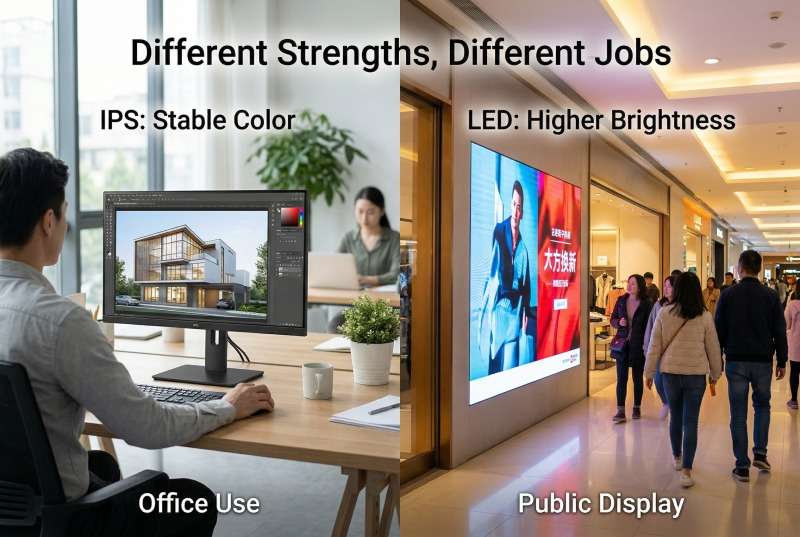
This comparison becomes much easier to understand when IPS and LED are discussed at the right level. In the monitor market, IPS usually refers to a panel technology, while LED monitor usually means an LCD monitor that uses LED backlighting. That is why an LED monitor can still use an IPS panel, a VA panel, or another LCD subtype. In other words, IPS and LED are often not direct opposites in the way buyers assume.
3.1 IPS Monitor Vs LED Monitor At The Desktop Level
At the monitor level, IPS tells you more about image behavior, while LED often tells you only how the screen is lit. A good example is Dell’s 23.8-inch P2422H, which is listed with an IPS panel, 250 cd/m² brightness, 1000:1 contrast ratio, 178°/178° viewing angles, 5 ms fast response time, and 99% sRGB color gamut. These specifications explain why IPS is often associated with office work and color-sensitive use: the main strengths are consistency, stable color, and comfortable viewing.
By comparison, a product described only as an LED monitor does not automatically tell you much about picture quality. In most cases, it simply means the monitor uses LED backlighting behind an LCD panel. In the end, the viewing experience is still shaped by the panel itself, whether it is IPS, VA, TN, or another type.
3.2 Why “LED” Becomes Broader In Commercial Display
The term LED becomes much broader once you move beyond desktop monitors. In commercial display, LED may refer to LED-backlit LCD signage or even direct-view LED displays. Samsung’s 32-inch QMC business signage model, for example, is listed with a VA panel, 400 nit brightness, 4000:1 contrast ratio, 178/178 viewing angles, 8 ms response time, and support for 24/7 operation.
That shows how commercial LED/LCD products often prioritize brightness, contrast, and runtime over the balanced desktop viewing experience commonly associated with IPS monitors.
3.3 Direct-View LED Belongs To A Different Product Class
The difference becomes even more obvious when direct-view LED enters the picture. The VESA DisplayHDR performance criteria require at least 400 cd/m² peak luminance and 320 cd/m² full-screen luminance for DisplayHDR 400, while DisplayHDR 600 raises those thresholds to 600 cd/m² peak and 350 cd/m² full-screen.
At the direct-view LED end, Planar’s DirectLight Pro high-brightness MicroLED model is rated at 1,600 nits of sustained brightness, while LG’s LBH outdoor DVLED line is rated at up to 8,000 nits maximum brightness for direct-sunlight environments.
These are not typical monitor specifications. They belong to products designed for large-scale visibility and commercial display performance.
| Verified Example | Type | Published Data Point | What It Shows |
|---|---|---|---|
| Dell P2422H | IPS LCD monitor | 250 cd/m², 1000:1 contrast, 178°/178°, 5 ms fast, 99% sRGB | IPS usually signals balanced productivity, wide viewing angles, and color consistency. |
| Typical LED monitor | LED-backlit LCD monitor | Term usually describes backlighting, not panel behavior | “LED monitor” is broader and less specific than IPS when judging image quality. |
| Samsung QMC 32 | Commercial LED-backlit LCD signage | 400 nit, 4000:1 contrast, 178/178, 8 ms, 24/7 operation | Commercial LED/LCD products often prioritize brightness and runtime. |
| Planar DirectLight Pro / LG LBH DVLED | Direct-view LED | 1,600 nits sustained and up to 8,000 nits max | Direct-view LED belongs to a different performance class built for large-scale visibility. |
The key point is not that IPS and LED are simple rivals. At the monitor level, IPS usually describes how the image behaves, while LED often describes how the monitor is lit. In commercial display, LED can also refer to much larger and brighter signage systems. That is why IPS is often the clearer label for desktop buying, while LED becomes the broader category in commercial display.
4. IPS Vs LED for Real Buying Scenarios
IPS display vs LED display only becomes a useful question when you attach it to a real device category. The right answer for a TV, phone, laptop, or 4K commercial screen is not always the same, because the priorities are different in each case.
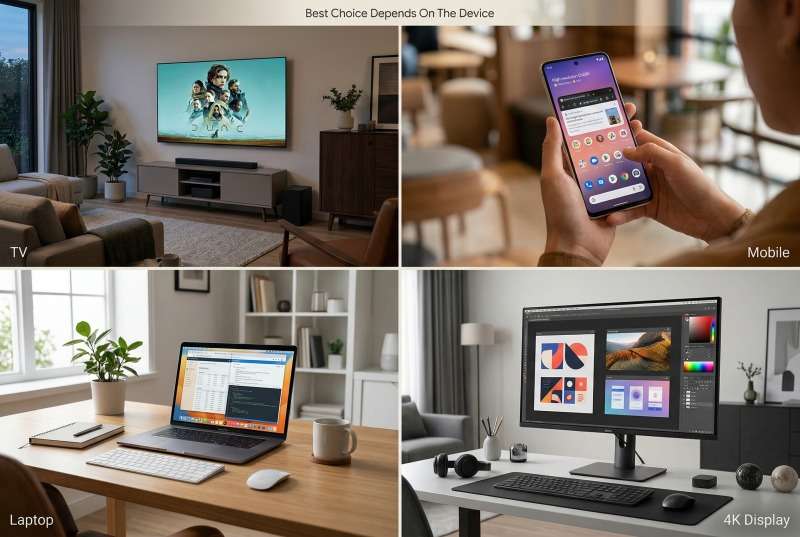
4.1 IPS Display vs LED TV
For TVs, the better choice usually depends on room brightness and seating layout more than on the label itself. If people watch from different angles, IPS-style behavior can be helpful because the picture shifts less off-center. If the room is bright and the goal is value plus brightness, many LED TV models remain attractive.
What matters here is context. A TV is rarely chosen on panel label alone. Processing, HDR handling, black levels, motion, and content habits matter just as much.
4.2 IPS vs LED Mobile Display
For phones and tablets, IPS remains a practical option because it balances clarity, color stability, and cost. Many mobile devices used IPS LCD successfully for years because it provides reliable touch visibility and good off-angle behavior without making the device too expensive.
For most users, outdoor readability, refresh rate, battery behavior, and calibration matter more than a generic LED label in a product description.
4.3 IPS Display vs LED Laptop
For laptops, IPS is usually the safer choice for work, study, and content-heavy use. A laptop screen is viewed up close and often from changing angles, so IPS tends to feel more stable and less distracting during long sessions.
That is why many office and creator laptops now highlight IPS explicitly, while “LED” on a laptop page often tells you little by itself.
4.4 4K IPS Display vs 4K LED
For 4K products, resolution alone does not settle the comparison. According to the CTA definition of 4K Ultra HD, a 4K display has at least 3840 × 2160 pixels, or roughly 8.3 million addressable pixels. That means a 4K IPS monitor and a 4K LED TV can share the same resolution while still looking very different in brightness, contrast, viewing stability, and HDR performance.
So a “4K” badge tells you how many pixels you are buying. It does not tell you how trustworthy the picture will be in your actual environment.
| Scenario | Better Starting Point | Why | Main Watch-Out |
|---|---|---|---|
| TV | Depends on room and seating | IPS helps with wide seating; LED TV options often win on brightness and value | Do not ignore HDR, contrast, and processing |
| Mobile display | IPS remains practical | Good balance of clarity, stability, and cost | Brightness and battery behavior still matter more day to day |
| Laptop | IPS | Better long-session comfort and angle stability | Check brightness and color coverage, not just “IPS” alone |
| 4K product | Depends on category | 4K is resolution, not a full picture-quality verdict | Resolution does not replace good panel or display architecture |
5. How IPS And LED Perform In Real-World Applications
The best technology choice becomes clearer when the use case is specific. Instead of asking which label is superior in general, it is more useful to ask what the screen must do every day.

5.1 IPS vs LED for Gaming
For gaming, the right answer depends on whether you value speed, picture quality, or immersion most. Modern fast IPS panels have narrowed the old response-time gap, which means IPS is now a very realistic option for many players, especially if they also care about color and image quality.
At the same time, some LED-based gaming displays or TVs may still make more sense if the target is raw brightness, living-room play, or a lower price at a larger size. The best gaming screen is judged by refresh rate, response behavior, input lag, and tuning quality, not by a single word on the box.
5.2 IPS vs LED Monitor for Office Work
For office work, IPS is usually the best all-around starting point. Most office users benefit from stable text, better viewing angles, and fewer distracting shifts when they move around or use dual monitors.
That said, a standard LED-backlit monitor can still be enough for administrative work, finance dashboards, or simple back-office workflows where color precision is not a priority.
5.3 IPS vs LED for Control Rooms and Commercial Signage
For control rooms, retail walls, public information displays, and other always-on visual systems, LED often becomes the stronger choice. That is especially true when the screen must be large, bright, modular, or visible in challenging ambient light. Direct-view LED also has advantages in scalability, front serviceability, and long-duration commercial deployment.
This is where the conversation moves well beyond desktop monitor logic. If the project is a lobby wall, meeting-room feature display, showroom installation, or command center canvas, an indoor LED screen or larger LED display screen solution usually belongs on the shortlist before a conventional desktop-style LCD does.
https://www.youtube.com/watch?v=-w0krwlTBI0
LED Wall for Commercial Singnage of Unit LED
6. Which Is More Expensive, IPS or LED?
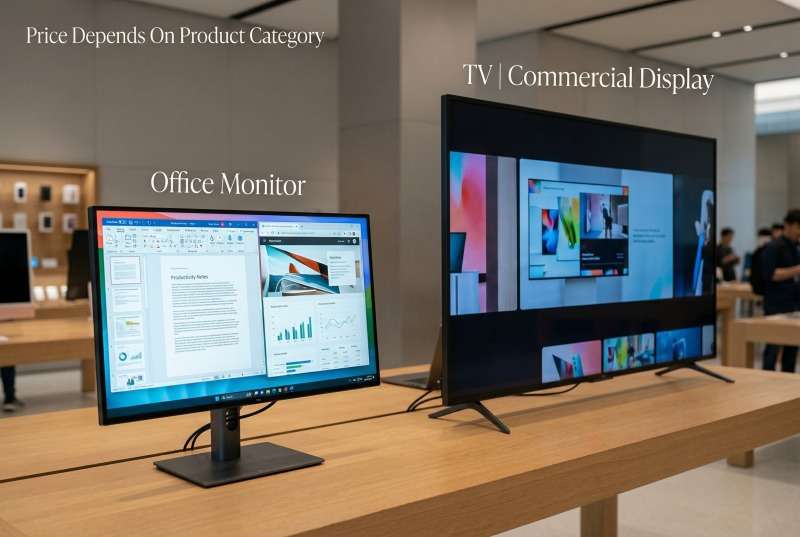
IPS is often more expensive than basic LED-branded alternatives within the same desktop category, but real pricing only makes sense when you compare like with like. A 24-inch office IPS monitor should not be treated as a direct price equivalent to a 55-inch LED TV, and neither should be treated as a direct equivalent to a commercial direct-view LED wall.
Still, real model snapshots help anchor the discussion. The examples below are point-in-time prices taken from official product pages and are meant to show how the market is positioned, not to create a false one-to-one comparison.
| Technology | Example Model | Category | Published Price | What It Suggests |
|---|---|---|---|---|
| IPS | Dell P2422H | 23.8-inch office monitor | $184.99 | Entry-to-midrange IPS can stay affordable in productivity-focused sizes. |
| IPS | LG 27UP850K-W | 27-inch 4K IPS monitor | $379.99 | Higher-resolution IPS with wider color support moves into a higher tier. |
| LED | Samsung DU7200 55″ | 55-inch LED 4K TV | $379.99 | Mainstream LED TVs compete aggressively on size-per-dollar. |
| LED | Sony BRAVIA 3 55″ | 55-inch LED 4K TV | $599.99 | Brand, processing, and ecosystem features can push LED pricing higher. |
The useful conclusion is that IPS is not automatically more expensive than LED in every context. It is often pricier than a very basic LCD monitor at the same size, but mainstream LED TVs can deliver much more screen area per dollar, while commercial direct-view LED can be dramatically more expensive than either. Price follows category and performance tier, not terminology alone.
7. How to Choose from IPS and LED?
The best way to choose is to start with the job and let the technology follow. Buyers usually make better decisions when they compare screen needs by use case rather than by marketing label.
| Use Case | What Matters Most | Recommended Starting Point | Reason |
|---|---|---|---|
| Design / Photo / Video Work | Color accuracy, consistency, viewing stability | IPS | IPS is usually the safest choice when color judgment matters. |
| Gaming | Refresh rate, response, contrast, immersion | Fast IPS for desktop; LED TV for large-screen living-room play | No single winner; setup and play style matter more than the label. |
| Office Work | Comfort, readability, multi-monitor use, long sessions | IPS | Stable viewing and cleaner day-to-day productivity are strong IPS advantages. |
| Commercial Signage | Brightness, scalability, visibility, runtime | LED | Direct-view LED or signage-focused LED/LCD solutions are built for public display jobs. |
| Control Room | Reliability, shared visibility, 24/7 operation | LED for shared wall; IPS for operator desktops | Large shared canvases and mission-critical uptime often favor LED systems. |
| Home Entertainment | Size, brightness, contrast, price | LED for value; IPS only when wide-angle seating matters | Most buyers in this category care about total experience, not just panel type. |
If the work depends on accurate color, start with IPS. If the job depends on scale, brightness, or public visibility, start with LED. That simple rule is not perfect, but it is far more useful than asking which label sounds more advanced.
8. LED Display Specification Checklist Before You Request a Quote
If you are comparing IPS, LCD, and LED for a real commercial project, do not choose by technology name alone. A useful quote should be based on installation environment, screen size, viewing distance, brightness, content type, and maintenance requirements.
| Specification | Why It Matters | What to Check |
|---|---|---|
| Indoor or Outdoor Use | The installation environment affects brightness, waterproofing, cabinet structure, and durability. | Confirm whether the screen will face sunlight, rain, dust, humidity, or strong indoor lighting. |
| Viewing Distance | The closer the viewer stands, the smaller the pixel pitch usually needs to be. | Measure the shortest viewing distance and the most common viewing distance before choosing pixel pitch. |
| Pixel Pitch | Pixel pitch affects image sharpness, text clarity, and total display cost. | Use finer pixel pitch for close viewing and larger pixel pitch for long-distance viewing. |
| Brightness | A display that is bright enough indoors may still look weak in a storefront or outdoor space. | Check ambient light, sunlight direction, and whether automatic brightness adjustment is needed. |
| Refresh Rate | Refresh rate affects camera shooting, live streaming, and visual stability. | Choose a higher refresh rate for stages, events, studios, and screens that may be filmed. |
| Maintenance Method | Maintenance access affects installation design and long-term service cost. | Confirm front service, rear service, spare modules, power supply access, and repair plan. |
| Content Type | Text, videos, dashboards, ads, and 3D content have different visual requirements. | Share sample content before finalizing screen size, resolution, and pixel pitch. |
For most commercial LED projects, the best result comes from matching the display to the site instead of choosing a technology label first. UNIT LED can help evaluate viewing distance, cabinet structure, pixel pitch, brightness, installation method, and long-term maintenance before production.
9. IPS Vs LED Vs OLED: Technology, Use Cases, And Price Snapshot
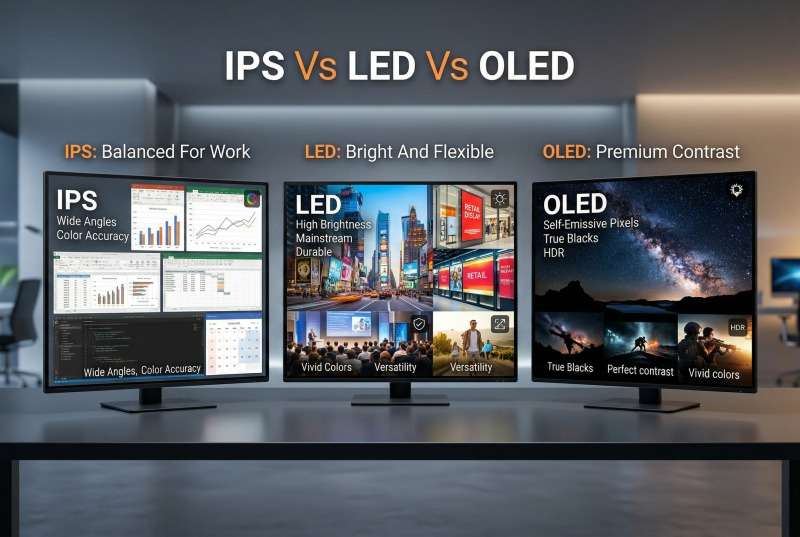
OLED belongs in this discussion, but it should not be treated as just another version of LED. IPS is an LCD panel technology, LED is often a backlight term or a broader display category, and OLED is self-emissive. That is why OLED usually wins on black depth and cinematic contrast, while IPS wins on balanced color consistency and LED wins on value, brightness range, or commercial scale.
| Technology | What It Really Means | Common Use Scenarios | Main Strength | Main Trade-Off |
|---|---|---|---|---|
| IPS | LCD panel technology | Design monitors, office work, creator laptops, shared viewing | Color stability and wide viewing angles | Usually not the strongest on black depth or absolute brightness |
| LED | Usually LED-backlit LCD, or direct-view LED in commercial display | TVs, value-focused displays, signage, retail, large-format installations | Range, brightness, scalability, and pricing flexibility | The label alone does not tell you panel quality |
| OLED | Self-emissive display technology | Premium TV, high-end entertainment, cinematic gaming, flagship displays | Deep blacks, contrast, premium visual impact | Usually more expensive and more frequently associated with burn-in discussions |
The most practical way to read this table is not to ask which technology is “best,” but which one is best for your own environment and budget. IPS is often the easiest recommendation for work. LED is often the broadest recommendation for value and scale. OLED is often the aspirational recommendation when premium picture quality comes first.
10. FAQs
IPS display vs LED which is better for eyes
For eye comfort, setup usually matters more than the IPS or LED label itself. The American Academy of Ophthalmology guidance on digital devices and eye strain focuses on brightness, glare, contrast, blinking habits, and breaks rather than declaring one mainstream panel label universally better for your eyes. In practice, a well-adjusted IPS display may feel more comfortable because the picture shifts less off-angle, but poor brightness settings can still cause fatigue.
Is IPS LCD good for your eyes?
Yes, IPS LCD can be very comfortable for long sessions when the screen is set up properly. Good viewing distance, sensible brightness, low glare, text scaling, and regular breaks matter more than the IPS label alone. IPS helps because it often looks more stable, but it is not a substitute for good ergonomics.
Are burn-in issues more common on IPS or LED?
Burn-in is not usually the main risk buyers should worry about when comparing IPS and standard LED-backlit LCD screens. That issue is discussed far more often around OLED and very long periods of static content. IPS LCD and standard LED-backlit LCD products can show temporary image retention in some situations, but they are not the category most buyers mean when they talk about burn-in.
What are the advantages of LED over IPS?
The main advantages of LED over IPS are usually higher brightness, greater flexibility, and broader use across consumer and commercial display categories.
LED-based displays are often better suited to bright rooms, storefronts, public spaces, and large-screen applications.
They also cover a wider range of sizes and formats, from everyday TVs to large video walls. Still, that does not make LED the better choice for every situation, especially when color consistency and viewing comfort matter more.
Is IPS or LED better for outdoor advertising?
LED is usually the better choice for outdoor advertising. Outdoor displays need high brightness, weather protection, long viewing distance, and strong visibility in changing light conditions. IPS displays are more suitable for close-up indoor viewing, not large outdoor signage.
Is Mini LED the same as direct-view LED?
No. Mini LED usually refers to a backlight technology used behind an LCD panel, while direct-view LED means the LEDs form the image pixels themselves. In buying terms, Mini LED is often discussed in TVs and monitors, while direct-view LED is more common in commercial video walls, stages, signage, and large-format installations.
Should a control room use IPS monitors or an LED video wall?
A control room often uses both. IPS monitors are useful for operator desks and close-up personal work, while an LED video wall is better for shared information, dashboards, surveillance feeds, and team-wide visibility.
The final choice depends on room size, viewing distance, screen runtime, and the number of people who need to see the same content.
For eye comfort, setup usually matters more than the IPS or LED label itself. The American Academy of Ophthalmology guidance on digital devices and eye strain focuses on brightness, glare, contrast, blinking habits, and breaks rather than declaring one mainstream panel label universally better for your eyes. In practice, a well-adjusted IPS display may feel more comfortable because the picture shifts less off-angle, but poor brightness settings can still cause fatigue.
Yes, IPS LCD can be very comfortable for long sessions when the screen is set up properly. Good viewing distance, sensible brightness, low glare, text scaling, and regular breaks matter more than the IPS label alone. IPS helps because it often looks more stable, but it is not a substitute for good ergonomics.
Burn-in is not usually the main risk buyers should worry about when comparing IPS and standard LED-backlit LCD screens. That issue is discussed far more often around OLED and very long periods of static content. IPS LCD and standard LED-backlit LCD products can show temporary image retention in some situations, but they are not the category most buyers mean when they talk about burn-in.
The main advantages of LED over IPS are usually higher brightness, greater flexibility, and broader use across consumer and commercial display categories.
LED-based displays are often better suited to bright rooms, storefronts, public spaces, and large-screen applications.
They also cover a wider range of sizes and formats, from everyday TVs to large video walls. Still, that does not make LED the better choice for every situation, especially when color consistency and viewing comfort matter more.
LED is usually the better choice for outdoor advertising. Outdoor displays need high brightness, weather protection, long viewing distance, and strong visibility in changing light conditions. IPS displays are more suitable for close-up indoor viewing, not large outdoor signage.
No. Mini LED usually refers to a backlight technology used behind an LCD panel, while direct-view LED means the LEDs form the image pixels themselves. In buying terms, Mini LED is often discussed in TVs and monitors, while direct-view LED is more common in commercial video walls, stages, signage, and large-format installations.
A control room often uses both. IPS monitors are useful for operator desks and close-up personal work, while an LED video wall is better for shared information, dashboards, surveillance feeds, and team-wide visibility.
The final choice depends on room size, viewing distance, screen runtime, and the number of people who need to see the same content.
11. Conclusions
For most buyers, IPS display vs LED display is not a contest with one universal winner. The smarter way to decide is to match the screen to the job, then judge the trade-offs honestly.
- Choose IPS when color accuracy, viewing stability, and day-to-day work comfort matter most.
- Choose LED when brightness, price flexibility, large-format scaling, or public visibility matter most.
- Choose OLED when premium contrast and cinematic picture quality matter more than entry price.
- Do not compare labels in isolation. A 24-inch IPS monitor, a 55-inch LED TV, and a modular LED wall are solving different problems.
- Use real specs, not slogans. Brightness, contrast, viewing angle, duty cycle, and application always matter more than a headline term.