How to Clean LED Screen: Step-by-Step Guide
LED screen has become a core component of modern life, so learning how to clean LED screen is crucial.
LED screens are renowned for their brightness, color accuracy, and durability, but regular maintenance is crucial to maintain their crisp, clear appearance. Over time, screens accumulate dirt, impurities, and dust. Dust, fingerprints, and smudges not only make the screen look dull but also shorten its lifespan if not handled properly.
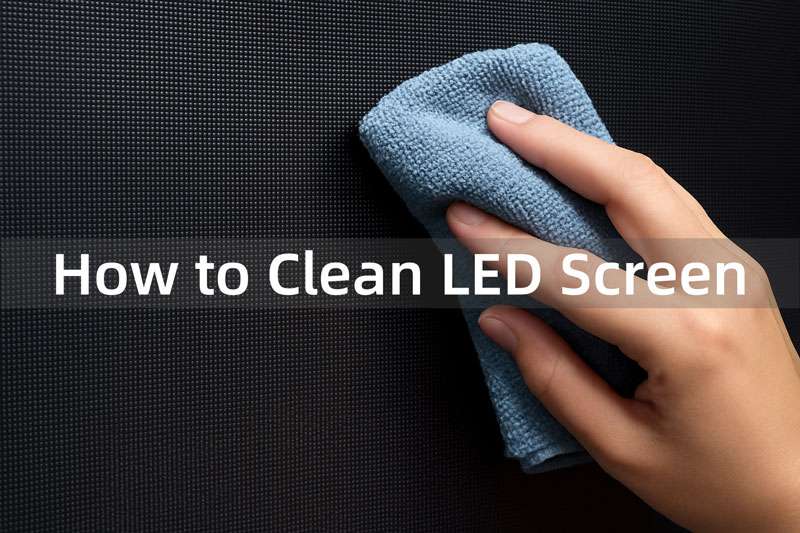
Cleaning an LED screen doesn’t have to be complicated. In this guide, you’ll learn how to clean LED screen safely, what cleaning materials to use, mistakes to avoid, and the best cleaning methods for both indoor and outdoor displays.
Quick Answer: How to Clean LED Screen Safely
The safest way to clean an LED screen is to turn it off, let it cool down, remove loose dust with a soft anti-static brush, and wipe the surface gently with a dry microfiber cloth. If wet cleaning is needed, use distilled water or a manufacturer-approved LED-safe cleaner on the cloth, not directly on the screen. Never use harsh chemicals, glass cleaner, paper towels, high-pressure water, or excessive force.
For large LED video walls, outdoor LED displays, rental LED screens, COB LED screens, or GOB LED screens, cleaning should be done more carefully because the modules, seams, waterproof structure, and surface protection may differ. When in doubt, contact your LED display supplier or a professional maintenance team before cleaning.
Table of Contents
1. Why LED Screen Cleaning Matters?
Before learning how to clean LED screen, let’s know why we need to clean an LED screen regularly.
In modern life, LED screens have become an indispensable part of daily work and entertainment. However, with increasing frequency of use, dust and dirt gradually accumulate on LED screens, affecting the display quality. Therefore, regular LED screen cleaning is particularly important.
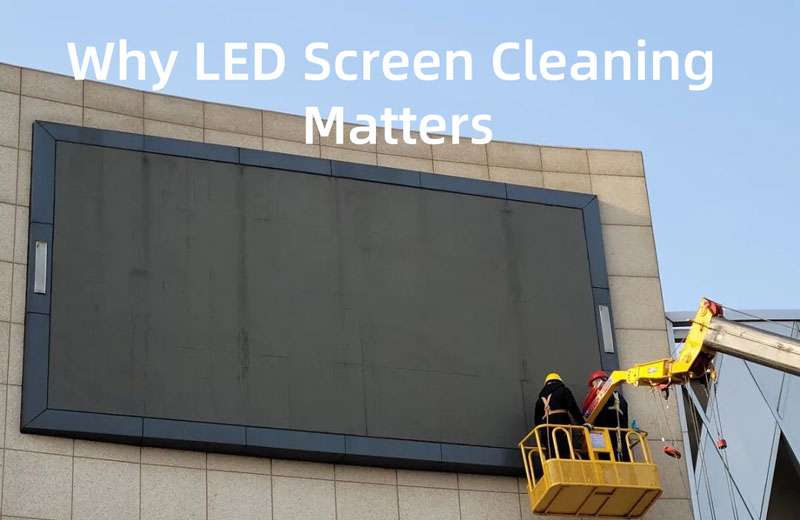
Here are the key reasons why LED screen cleaning is essential:
① Improved Visual Quality
- Dust, smudges, and fingerprints reduce brightness and clarity.
- Regular cleaning ensures sharper images, vibrant colors, and uniform brightness.
② Extended Lifespan
- Accumulated dirt and pollutants can damage LED modules or cause uneven performance.
- Cleaning prevents moisture and dust from penetrating circuits, helping the display last longer.
③ Cost Savings
- Preventing damage through cleaning is far cheaper than repairing or replacing LED panels.
- Routine maintenance protects your investment and reduces downtime.
④ Professional Image
- For businesses, a clean and clear LED screen enhances brand presentation.
- Poor display quality can negatively impact customer perception and engagement.
⑤ Hygiene and Safety
- In public spaces, screens often collect germs and bacteria.
- Cleaning promotes a healthier environment for staff and visitors.
⑥ Consistent Performance
- Clean screens ensure stable operation, free from LED screen flickering or dim spots.
- Regular care maintains reliable functionality for events, advertising, and daily use.
LED screen cleaning is not just cosmetic, it safeguards performance, ensures professional visuals, and extends the life of your display.
2. What You Need: Tools and Materials
How to clean LED screen correctly? Cleaning an LED screen requires the right tools and materials to avoid damage while ensuring effective results. Using the wrong products, such as harsh chemicals or rough cloths, can leave scratches, cause discoloration, or even permanently damage the display.
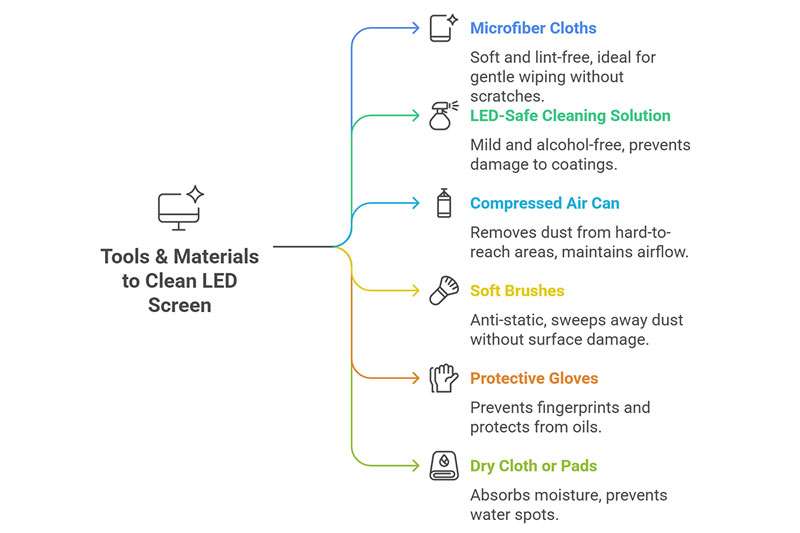
Below are the recommended items for safe and efficient LED screen cleaning:
① Microfiber Cloths
- Soft, lint-free cloths designed to trap dust without scratching the surface.
- Ideal for wiping screens gently without leaving streaks.
② LED-Safe Cleaning Solution
Use a manufacturer-approved LED screen cleaner or distilled water when light wet cleaning is necessary. For most LED screens, dry cleaning with a microfiber cloth should always be the first choice. If you need to remove fingerprints, oily marks, or stubborn dust, lightly dampen the cloth instead of spraying liquid directly onto the screen.
Avoid household glass cleaner, ammonia, bleach, strong alcohol, abrasive detergent, vinegar-based cleaner, and any unknown chemical solution. Different LED screens may use different surface coatings, LED modules, and protection layers, so the safest method is always to follow the manufacturer’s cleaning instructions first.
Tips: Recommended Cleaning Agents for LED Screens
When choosing a suitable cleaning agent for your LED screen cleaning, consider the following options:
| Cleaning Agent | Advantages | Limitations | Best Use Case |
| LED Display Cleaning Solution | Safe and effective; removes dust and smudges; no surface damage | Requires the purchase of a specialized product | Routine cleaning and maintenance |
| LED Display Repair & Cleaning Agent | Multi-functional: cleans, restores brightness, anti-static, dust-resistant, corrosion protection; balanced pH for safety | Higher cost compared to standard cleaners | Professional care or when restoring slightly aged screens |
| Distilled Water (Alternative) | Easily accessible; gentle on the surface if used correctly | Limited cleaning power; may leave streaks or residue after drying | Emergency or temporary cleaning when proper solution is unavailable |
③ Compressed Air Can
- Helps remove dust from ventilation grilles, module gaps, and hard-to-reach areas.
- Prevents buildup that can affect airflow and cooling.
④ Soft Brushes
- Anti-static brushes are useful for sweeping away loose dust on large LED panels.
- Gentle bristles ensure no surface damage.
⑤ Protective Gloves
- Wearing gloves prevents fingerprints and smudges during the cleaning process.
- Also protects the screen from oils and dirt on your hands.
⑥ Dry Cloth or Absorbent Pads
- Useful for immediately drying any moisture left behind from cleaning solutions.
- Prevents water spots or streaks.
3. Common Mistakes When Cleaning LED Screen
Cleaning an LED screen wall may seem simple, but improper practices can cause permanent damage or reduce performance.
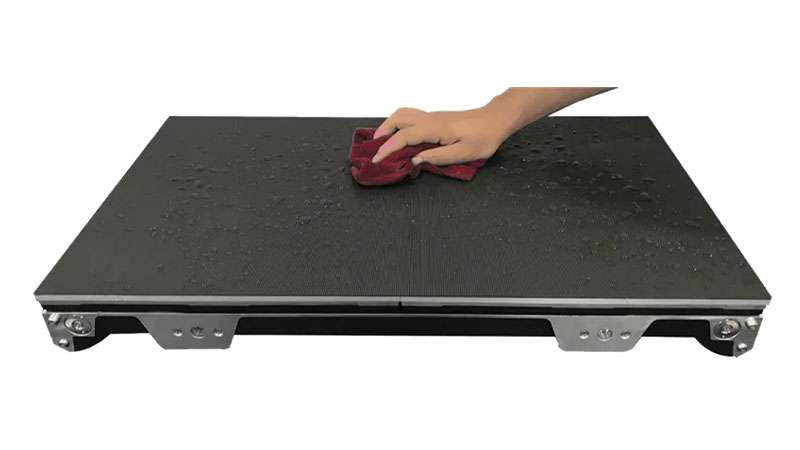
Here are some common mistakes to avoid:
-
Using Harsh Chemicals
Strong cleaners containing alcohol, ammonia, or other solvents can damage the screen’s protective coating. These chemicals may cause discoloration, streaks, or surface degradation over time.
-
Applying Excessive Liquid
Spraying cleaning solutions directly onto the screen or using too much water can seep into LED modules. This may cause short circuits, corrosion, or permanent panel damage. Always apply the solution to a cloth first.
-
Using Rough or Abrasive Materials
Paper towels, tissues, or rough cloths can scratch the LED surface. Only soft, lint-free microfiber cloths or anti-static brushes should be used.
-
Ignoring Manufacturer Instructions
Each LED screen may have specific cleaning guidelines. Failing to follow these instructions can void warranties or reduce display lifespan.
-
Cleaning While Powered On
Cleaning a live LED display screen increases the risk of electric shock and may damage the electronics. Always turn off and unplug the display before cleaning.
-
Skipping Regular Maintenance
Waiting too long between cleanings allows dust and dirt to accumulate, making it harder to clean and potentially affecting brightness and uniformity.
How to clean LED screen correctly and safely? Avoiding these mistakes ensures your LED screen stays bright, clear, and durable. Proper cleaning techniques preserve performance, prevent damage, and extend the lifespan of your display.
3.1 LED Screen Cleaning Do’s and Don’ts
The easiest way to avoid damage is to follow a clear do-and-don’t checklist before cleaning. LED screens are sensitive to pressure, moisture, static electricity, and chemical cleaners. Use this table as a quick safety reference before cleaning an LED display screen.
| Do | Don’t |
|---|---|
| Turn off and unplug the LED screen before cleaning. | Do not clean the screen while it is powered on. |
| Use a soft microfiber cloth or anti-static brush. | Do not use paper towels, rough cloth, tissues, or abrasive pads. |
| Remove loose dust before wet cleaning. | Do not wipe dusty surfaces with pressure, as this may scratch the screen. |
| Apply liquid to the cloth only when needed. | Do not spray water or cleaner directly onto LED modules. |
| Use distilled water or an approved LED-safe cleaner. | Do not use ammonia, bleach, vinegar, glass cleaner, or strong solvents. |
| Clean large LED video walls section by section. | Do not press hard on panel seams, LED beads, or module edges. |
| Follow the manufacturer’s maintenance instructions. | Do not use one cleaning method for every LED screen type. |
4. How to Clean LED Screen? Step-by-Step Guide
How to clean LED screen? This step-by-step guide will walk you through each stage of how to clean an LED display, starting with the safest method to avoid damaging your LED screen wall.
https://youtu.be/W1GdC4vXAOY?si=RBcQGRBwZu14Hh1L
Follow these detailed steps to clean your display safely and effectively:
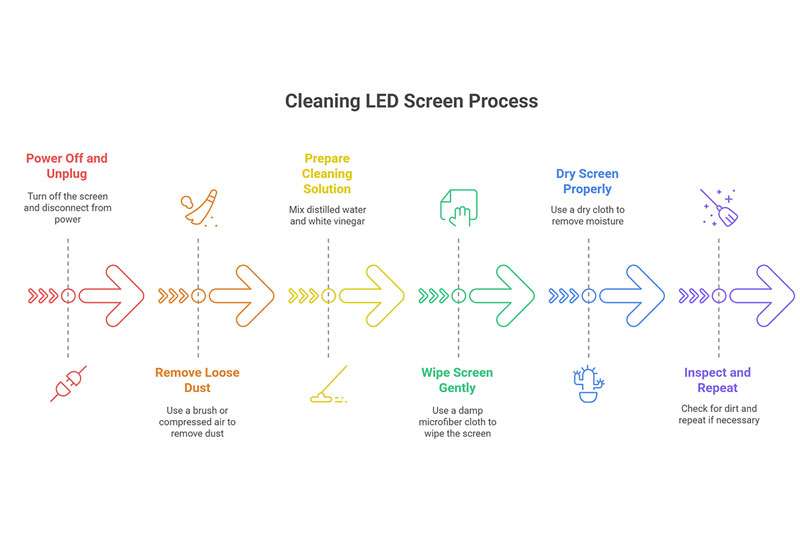
Step 1. Power Off and Unplug the Screen
How to clean an LED screen? The first step for LED screen cleaning is to turn off the screen. Always switch off the LED display and disconnect it from the power source.
Cleaning a powered-on LED wall may risk electric shock and harm the electronics. Allow the screen to cool completely before cleaning, as warm surfaces can be more susceptible to damage.
Step 2. Remove Loose Dust and Debris
How to clean an LED monitor screen? Use a soft, anti-static brush or a can of compressed air to remove dust from the screen surface and gaps between LED modules.
Gently sweep the brush across the screen in one direction to avoid pushing dust into connectors or seams.
For giant LED screens, work section by section to ensure thorough dust removal.
Step 3. Prepare the Cleaning Solution
The third step in cleaning an LED display is to prepare the cleaning agent. Use a commercially available LED-safe cleaning solution or a mixture of distilled water and a small amount of white vinegar.
Avoid harsh chemicals like alcohol, ammonia, or abrasive detergents, which can damage the screen coating.
Step 4. Wipe the Screen Gently
How to clean an LED screen? The fourth step in cleaning an LED screen is to wipe it with a microfiber cloth.
- Lightly dampen a microfiber cloth with the cleaning solution. Avoid soaking the cloth.
- Wipe the screen in smooth, even strokes — either horizontally or in circular motions.
Never spray liquid directly onto the screen, as excess moisture can seep into LED modules and cause malfunctions.
Step 5. Dry the Screen Properly
Use a clean, dry microfiber cloth or absorbent pad to remove any remaining moisture. Ensure all areas are completely dry before reconnecting the power.
For stubborn streaks, gently buff the screen without applying excessive pressure.
Step 6. Inspect and Repeat if Necessary
Check the screen for any remaining dirt, smudges, or fingerprints.
Repeat the cleaning process on affected areas, taking care not to over-wipe or scratch the surface.
These are the detailed steps for how to clean LED screen correctly and safely. A carefully cleaned LED screen ensures vibrant colors, uniform brightness, reliable performance, and extends the operational life of your display.
5. Cleaning Different Types of LED Screens
LED screens come in a variety of sizes and uses, from personal devices like laptops and TVs to large-scale commercial and outdoor displays. Each type has unique cleaning requirements, and understanding these differences is essential to avoid damage and maintain optimal performance.
5.1 Clean LED TV Screen and LED Monitors
Indoor LED TVs and LED screen monitors are typically less exposed to environmental hazards but can still accumulate dust, fingerprints, and smudges.
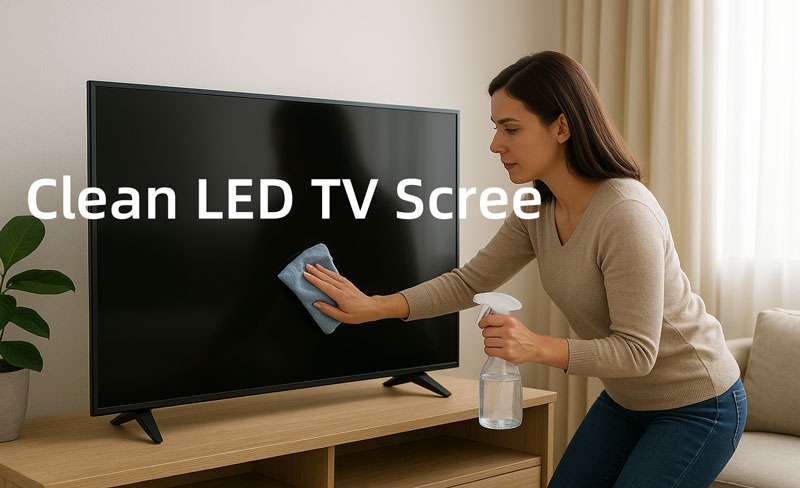
Frequency: Every 2–4 weeks, depending on usage.
Cleaning Method: Use a soft microfiber cloth slightly dampened with a 1:1 mixture of distilled water and isopropyl alcohol. Wipe gently in straight strokes, avoiding circular motions.
Key Tips:
- Avoid pressing too hard to prevent pixel or coating damage.
- Pay attention to edges and bezels where dust accumulates.
- For touch-enabled LED screen monitors, clean more frequently to reduce fingerprint buildup.
5.2 Indoor LED Video Walls Cleaning
How to clean LED screen indoor? Indoor LED video walls are commonly used in airports, conference rooms, shopping malls, and other commercial settings. These large displays are made of multiple LED panels, and dust or dirt can accumulate along the seams, edges, and connectors.
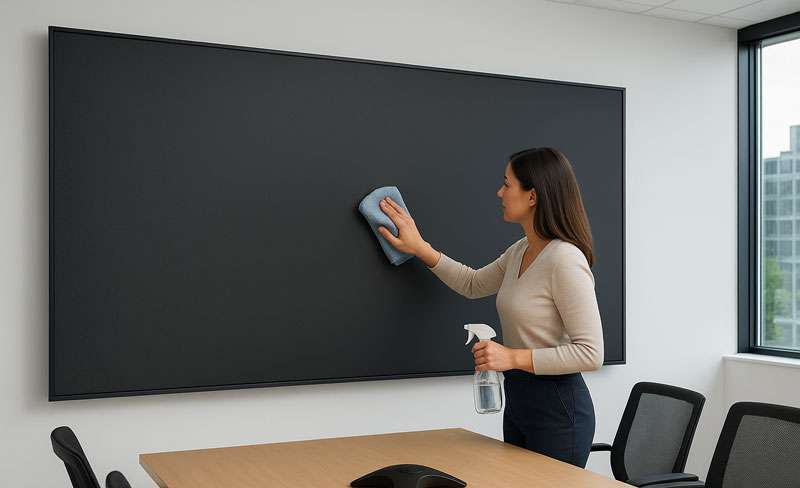
Frequency: Monthly, depending on dust levels and usage.
Cleaning Method: Use a microfiber cloth with a safe cleaning solution. Wipe evenly across all panels to prevent streaks.
Key Tips:
- Pay attention to seams, edges, and connectors where dust tends to accumulate.
- For larger walls, consider professional cleaning to safely reach all areas without damaging panels.
- Maintain consistent wiping patterns to ensure uniform brightness and color.
5.3 Outdoor LED Displays Cleaning
How to clean LED screen outdoor? Outdoor LED screens are exposed to harsher conditions such as dust, rain, wind, pollution, and insects. These displays require more frequent cleaning.
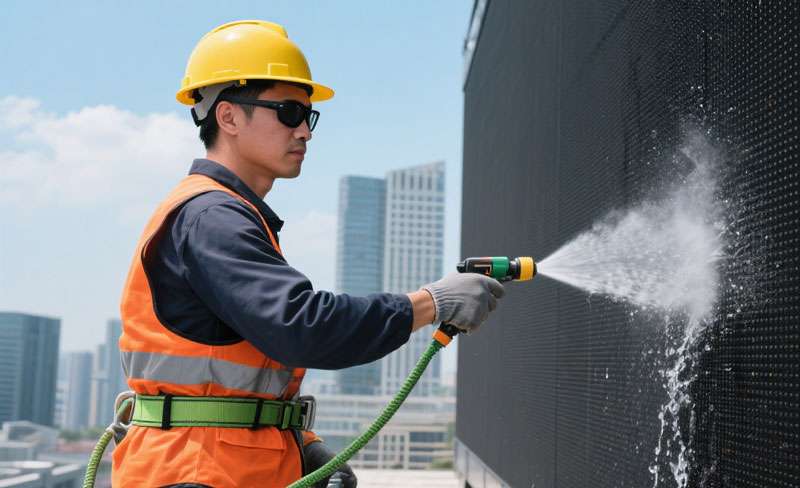
Frequency: Weekly to monthly, depending on weather and environmental conditions.
Cleaning Method: Professionals often use low-pressure water sprays and specialized cleaning solutions suitable for large LED modules.
Key Tips:
- Ensure all electrical components are sealed to prevent water ingress.
- Inspect waterproofing, ventilation, and mounting structures regularly.
- Avoid high-pressure water or abrasive tools that could damage LED panels.
- Regular maintenance helps maintain brightness, color uniformity, and long-term durability.
For stadium screens, highway billboards, or building a large LED display, it’s recommended to hire a specialized LED maintenance company. They have safety equipment and industry-approved cleaning methods.
5.4 Flexible or Curved LED Screens Cleaning
The flexible or curved LED screen is used in creative installations and advertising displays.
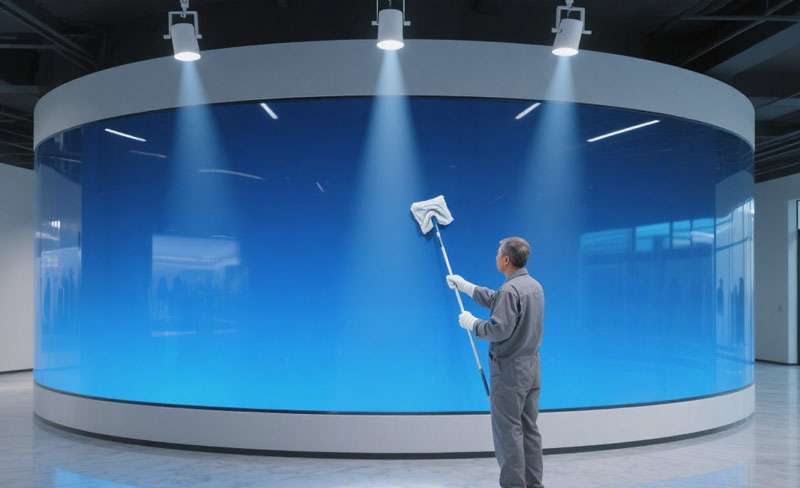
Cleaning Tips:
- Follow the curvature of the screen when wiping to avoid bending the modules excessively.
- Use soft, lint-free cloths and avoid harsh cleaning solutions.
- Pay attention to joints and edges where dust may accumulate.
5.5 How to Clean SMD LED Screen
SMD LED screens should be cleaned gently because the LED beads are exposed on the module surface. Before cleaning, turn off the display, remove surface dust with a soft anti-static brush, and wipe the screen with a dry microfiber cloth. Avoid pressing directly on the LED beads, module seams, or cabinet edges.
If fingerprints or stains remain, use a slightly damp microfiber cloth with distilled water or an approved LED-safe cleaner. Never use excessive liquid, rough fabric, or direct spraying, as moisture may enter the module gaps and affect the circuit or display performance.
5.6 How to Clean COB LED Screen
COB LED screens usually have stronger surface protection, but they still need careful cleaning. Because COB technology packages the LED chips with a protective layer, the surface can be easier to wipe than traditional exposed LED modules. However, this does not mean strong chemicals or rough tools are safe.
Use a dry microfiber cloth first. If deeper cleaning is required, lightly dampen the cloth and wipe in one direction with gentle pressure. Avoid unknown solvents, alcohol-heavy cleaners, and abrasive pads. If the COB LED screen is used in a control room, conference room, broadcast studio, or high-end commercial space, routine professional maintenance is recommended.
5.7 How to Clean GOB LED Screen
GOB LED screens are designed with extra surface protection, making them more resistant to dust, moisture, and accidental touch. This makes cleaning easier in many commercial environments, such as shopping malls, showrooms, exhibitions, schools, and public areas.
For regular cleaning, remove dust with an anti-static brush and wipe the surface with a soft microfiber cloth. For stains, use a slightly damp cloth with distilled water or an approved cleaner. Do not use high-pressure water, harsh detergent, metal tools, or strong chemical cleaners, even if the GOB surface looks durable.
If you want a display with better surface protection for high-traffic areas, you can also learn more about GOB LED module solutions.
6. Extra Maintenance Tips for LED Screens
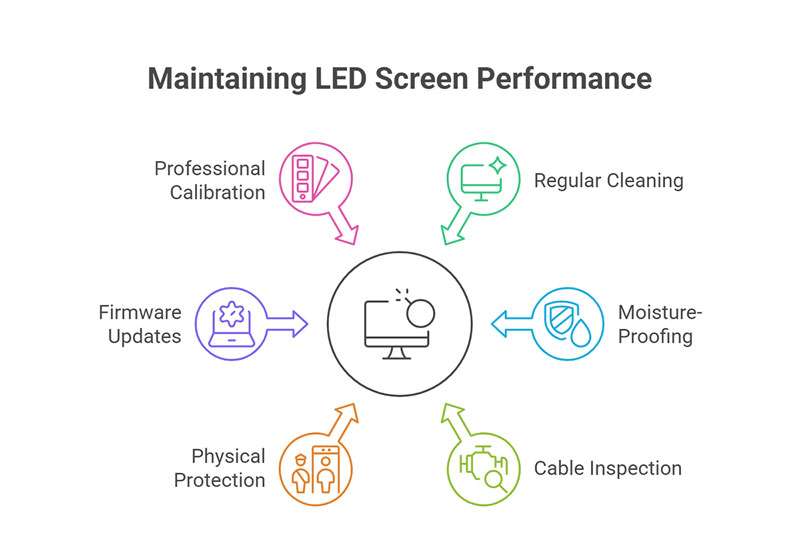
Now, you may know how to clean LED screen. Proper cleaning is essential, but additional maintenance practices can further extend the lifespan and performance of your LED screens. Here are some extra tips for keeping your LED displays in top condition:
Tip 1. Schedule Regular Cleaning
LED full-color display screens are exposed to wind, sun, and rain in outdoor environments for a long time. Even indoor LED displays will accumulate a lot of dust and rain erosion marks on the screen over time, which requires regular and timely cleaning to prevent affecting the viewing effect. Establish a routine cleaning schedule based on the screen’s environment.
Indoor screens may require monthly cleaning, while outdoor displays in dusty or polluted areas may need weekly attention.
Recommended LED Screen Cleaning Frequency:
The right cleaning frequency depends on the installation environment, screen type, dust level, and usage intensity. A home LED monitor may only need light cleaning every few weeks, while an outdoor advertising LED display or rental LED screen may require a much stricter maintenance schedule.
| LED Screen Type | Suggested Cleaning Frequency | Cleaning Notes |
|---|---|---|
| LED TV or LED Monitor | Every 2–4 weeks | Use a dry microfiber cloth first; avoid pressing hard on the screen. |
| Indoor LED Video Wall | Every 1–3 months | Clean panel seams, cabinet edges, and high-touch areas carefully. |
| Outdoor LED Display | Every 2–4 weeks | Clean more often in dusty, coastal, polluted, or rainy environments. |
| Rental LED Screen | After every event | Check dust, fingerprints, moisture, connectors, locks, and cabinet damage. |
| Stadium LED Screen | Before major events or monthly | Professional cleaning is usually required because of height and screen size. |
| Transparent LED Screen | Monthly or as needed | Clean both the glass surface and LED strip area with care. |
Tip 2. Moisture-Proof and Storage Requirements
Storage Temperature Requirements: Ambient temperature -40°C ≤ t ≤ 60°C. After unpacking, the LED display must be stored in an environment with a temperature of < 30°C and a humidity of < 60%.
Prevent insect bites and use rodent repellent if necessary, depending on the environment of the display and control unit.
LED displays should not be turned off for extended periods:
In high-humidity environments, if the display has not been used for more than three days, preheat the display each time it is turned on. Preheat the display at 30%-50% brightness for 4-8 hours, then adjust the brightness to normal (80%-100%) to eliminate moisture and ensure proper operation.
If the display has not been used for more than seven days, preheat the display each time it is turned on: preheat at 30%-50% brightness for at least 12 hours, then adjust the brightness to normal (80%-100%).
Tip 3. Inspect Cables and Connections
-
Regularly check power and signal cables for signs of wear or corrosion. -
Ensure connectors are properly seated to prevent flickering or signal loss. -
Address loose or damaged cables promptly to avoid potential display issues.
Tip 4. Protect from Physical Damage
-
Install protective barriers if the screen is in a high-traffic area. -
Avoid placing objects that may scratch or impact the screen surface. -
Flexible or curved displays require careful handling during installation and maintenance.
Tip 5. Keep Firmware and Software Updated
-
For smart LED screens, ensure control systems and firmware are up-to-date. -
Updates can improve performance, enhance color calibration, and prevent glitches.
Tip 6. Professional Calibration
-
Periodically calibrate the screen to maintain uniform brightness, color accuracy, and contrast. -
Calibration helps prevent uneven color and extends the life of the LED modules.
Combining regular cleaning with proactive maintenance practices ensures your LED screens remain bright, reliable, and visually impressive. Following these tips minimizes downtime and delivers a professional display experience over the long term.
7. FAQs
Q1. Can I use regular glass cleaner on my LED screen?
No. Most glass cleaners contain ammonia or vinegar, which can damage the anti-reflective or protective coating on LED screens. Using such cleaners may lead to streaks, discoloration, or even permanent surface damage. Always use a microfiber cloth with distilled water or a diluted isopropyl alcohol solution for safe cleaning.
.elementskit-card END
Q2. What should I do if liquid accidentally drips inside the screen?
If liquid enters the screen, unplug the device immediately and avoid turning it on. Allow it to dry completely for 24–48 hours in a safe, ventilated area. If the screen shows any signs of malfunction after drying, contact a professional technician to prevent further damage.
.elementskit-card END
Q3. Are baby wipes or alcohol wipes safe for cleaning LED screens?
Generally, no. Baby wipes and some alcohol wipes may contain oils, fragrances, or harsh chemicals that can leave streaks or residues on the LED surface. Instead, use a soft microfiber cloth lightly dampened with distilled water or a safe diluted alcohol solution.
.elementskit-card END
Q4. Why does my LED screen look streaky after cleaning?
Streaks usually occur because the cleaning solution was applied directly to the screen, too much liquid was used, or wiping was done in circular motions. To avoid streaks:
- Spray the solution onto the cloth, not the screen.
- Use straight, gentle strokes (vertical or horizontal).
- Follow up with a dry microfiber cloth to remove residual moisture.
.elementskit-card END
Q5. How often should I clean my LED screen?
Personal LED TVs and LED monitors: Every 2–4 weeks.
Indoor LED walls: Monthly.
Outdoor LED displays: Weekly to monthly, depending on environmental conditions.
Regular cleaning prevents dust buildup, maintains image clarity, and extends the screen’s lifespan.
.elementskit-card END
Q6. Can I clean LED screens while they are powered on?
No. Cleaning a powered-on screen increases the risk of electrical shock, streaking, or static discharge. Always turn off and unplug your device before cleaning.
.elementskit-card END
Q7. How do professionals clean stadium LED screens?
They use low-pressure water systems, safety harnesses, waterproofing, and specialized LED-safe detergents.
.elementskit-card END
Q8. Can frequent cleaning damage my LED screen?
No, as long as safe cleaning methods are used. Using microfiber cloths, diluted cleaning solutions, and gentle wiping ensures that frequent cleaning will improve image quality and extend lifespan without harming the display.
.elementskit-card END
Q9. Can I use water to clean an LED screen?
Yes, but only in a limited and careful way. Use distilled water on a microfiber cloth, and make sure the cloth is only slightly damp, not wet. Never spray water directly onto the LED screen, because liquid may enter the LED modules, seams, cabinet edges, or connectors.
.elementskit-card END
Q10. Can I use alcohol to clean an LED display?
Do not use strong alcohol or alcohol wipes unless the manufacturer clearly allows it. Some LED screens have protective coatings or surface treatments that may be damaged by alcohol-based cleaners. For most users, a dry microfiber cloth, distilled water, or an approved LED-safe cleaner is a safer choice.
.elementskit-card END
8. Conclusion
Learning how to clean an LED screen is essential for anyone using modern displays, whether at home or in business. By avoiding harsh chemicals, rough fabrics, and excessive pressure, you can safely maintain your LED screen’s clarity and performance.
How to clean LED screen? The right tools, microfiber cloths, distilled water, and diluted isopropyl alcohol are all you need to keep your screen spotless. For large-scale installations, professional cleaning services ensure safety and longevity. By following this guide, you’ll extend the lifespan of your LED screen, maintain brilliant visuals, and protect your investment for years to come.